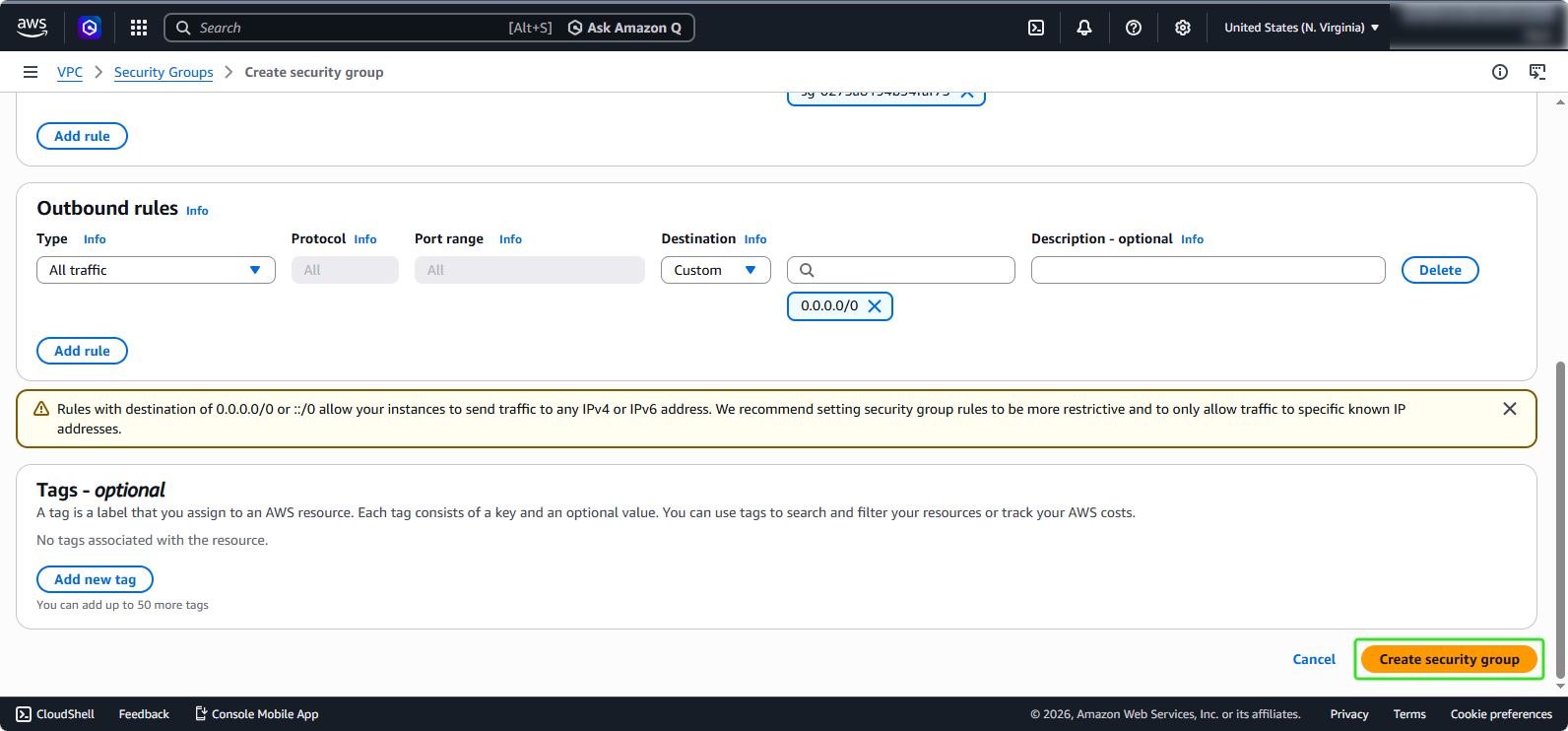
Security Group configuration
Security Group Configuration for EC2
- In the EC2 management interface, in the left selection menu:
- Select Security Groups
- Click on Create security group
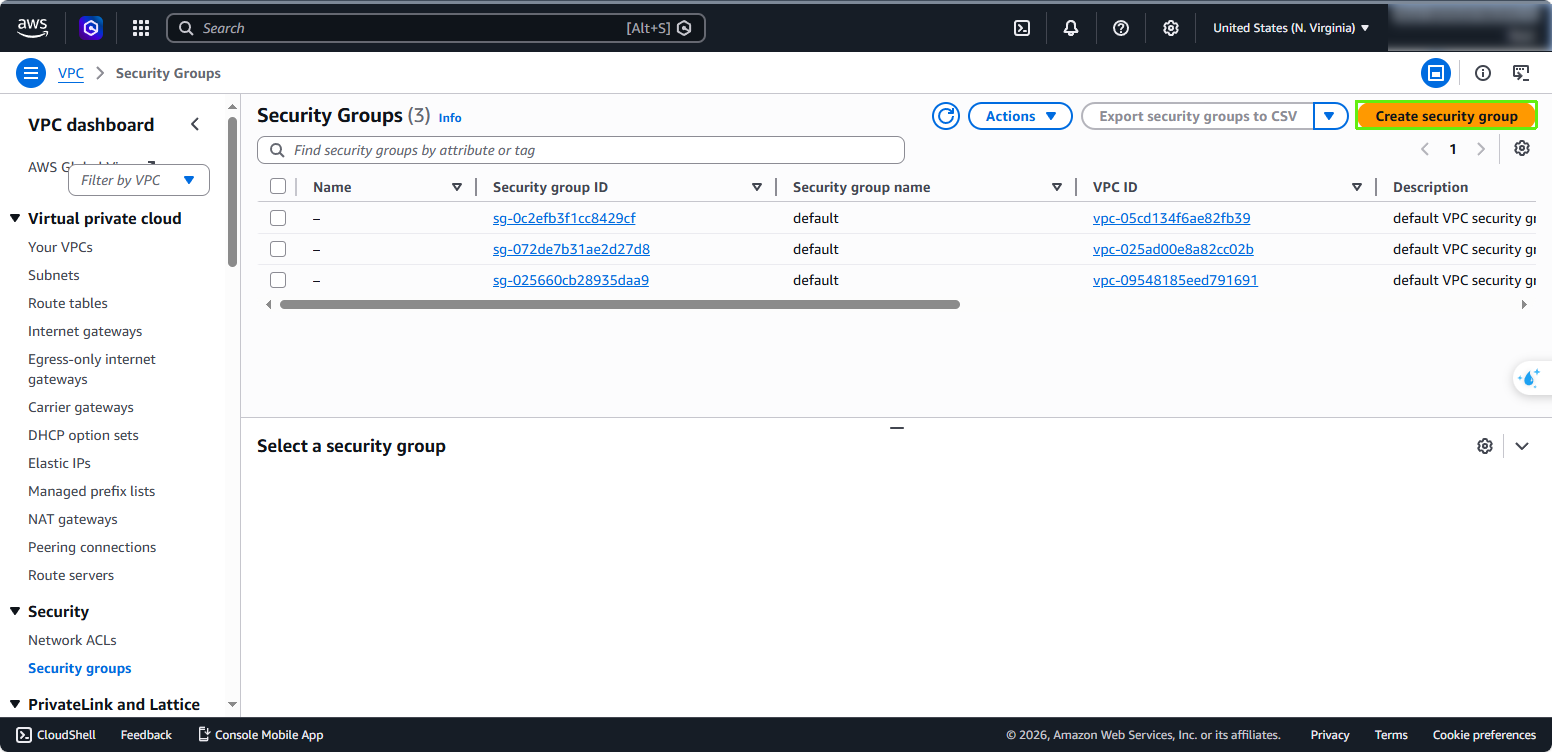
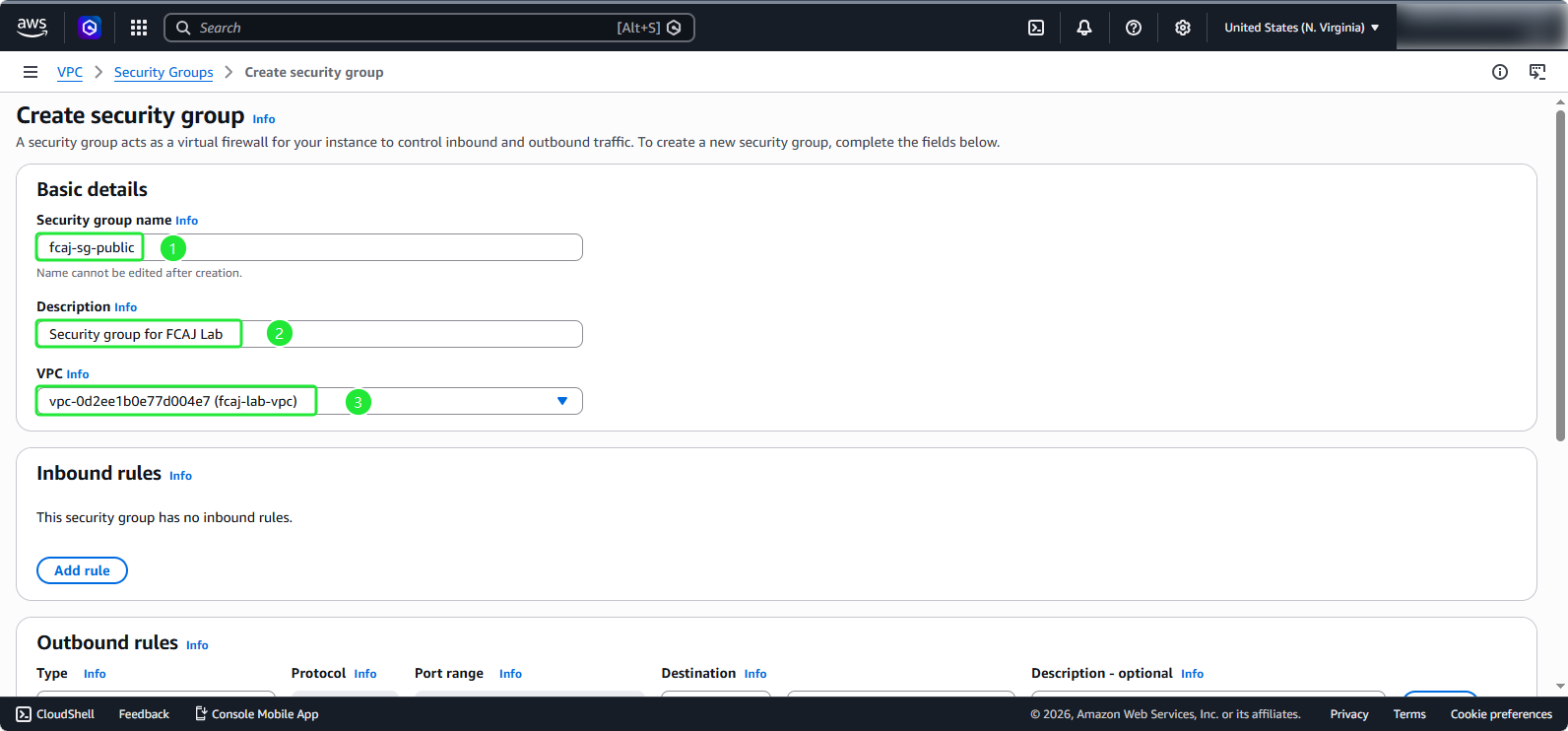
- Configure the Security Group:
- In the Basic details section:
- Security group name:
fcaj-sg-public - Description:
Security group for FCAJ Lab - VPC: fcaj-lab-vpc
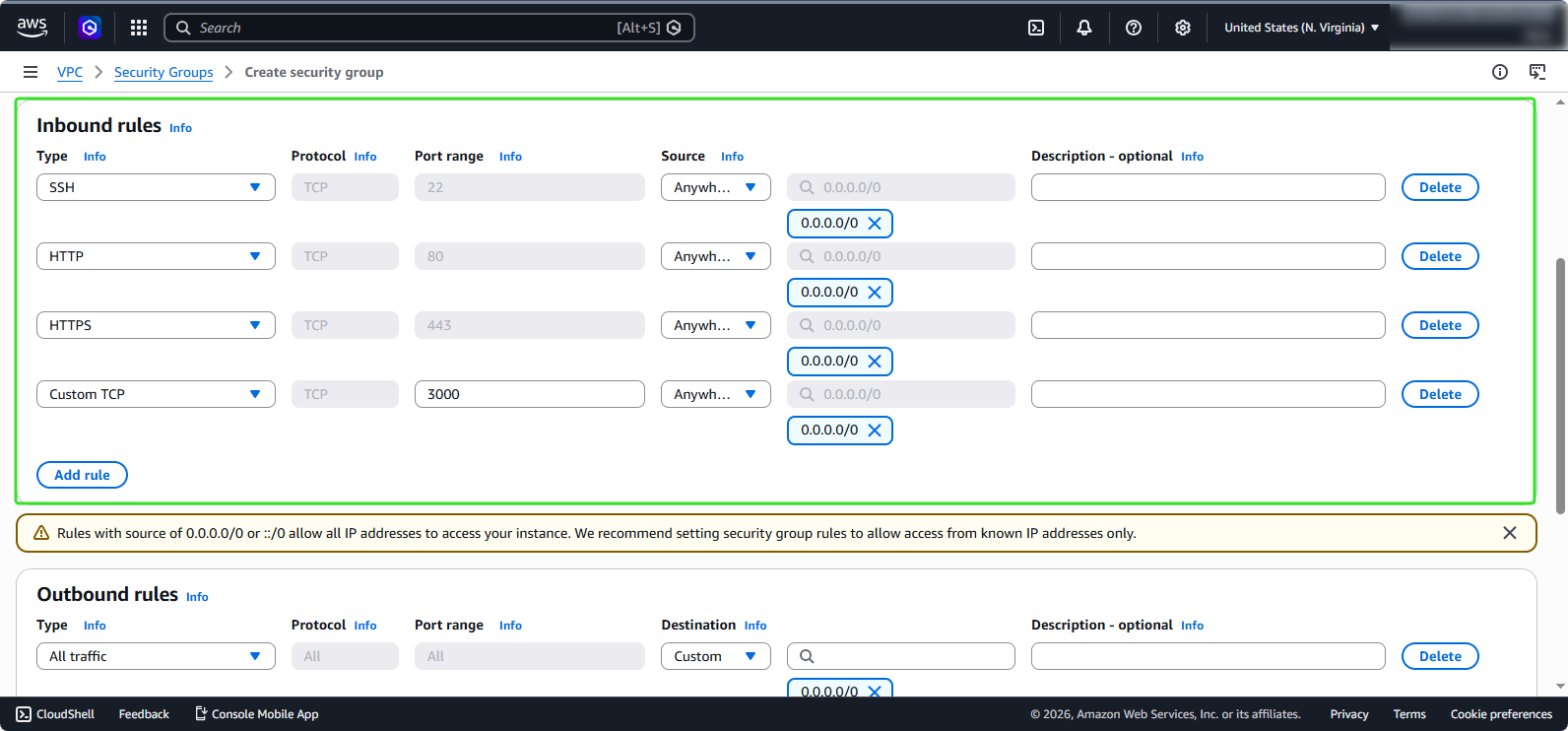
- In the Inbound rules section, add the following rules:
- Type: SSH, Source: Anywhere-IPv4
- Type: HTTP, Source: Anywhere-IPv4
- Type: HTTPS, Source: Anywhere-IPv4
- Type: Custom TCP, Port range: 3000, Source: Anywhere-IPv4
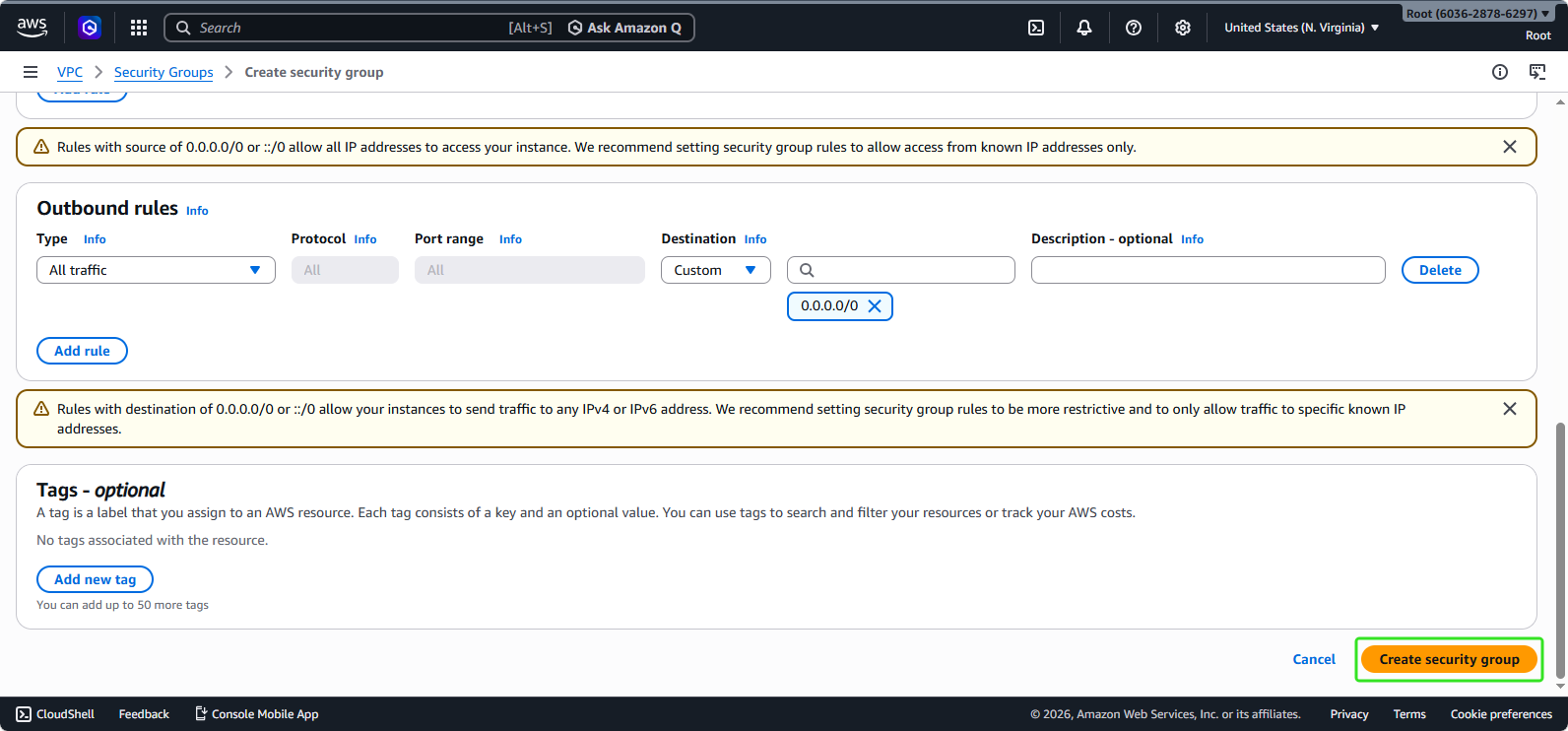
- For the Outbound rules, we will also leave it as default. Click on Create security group.
Security Group Configuration for Database Instance
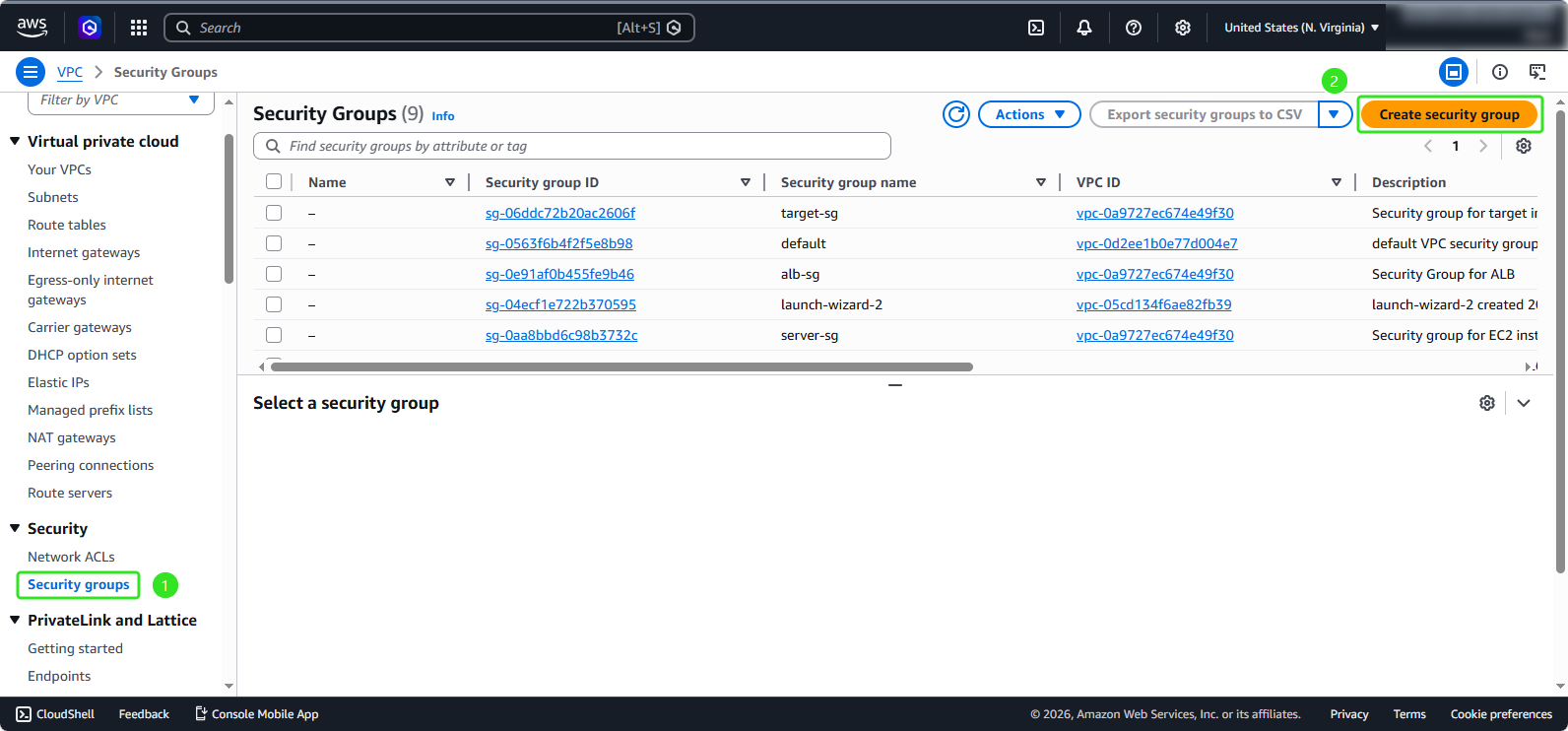
- Similar to the steps for creating a security group for EC2:
- Select Security Groups
- Click on Create security group
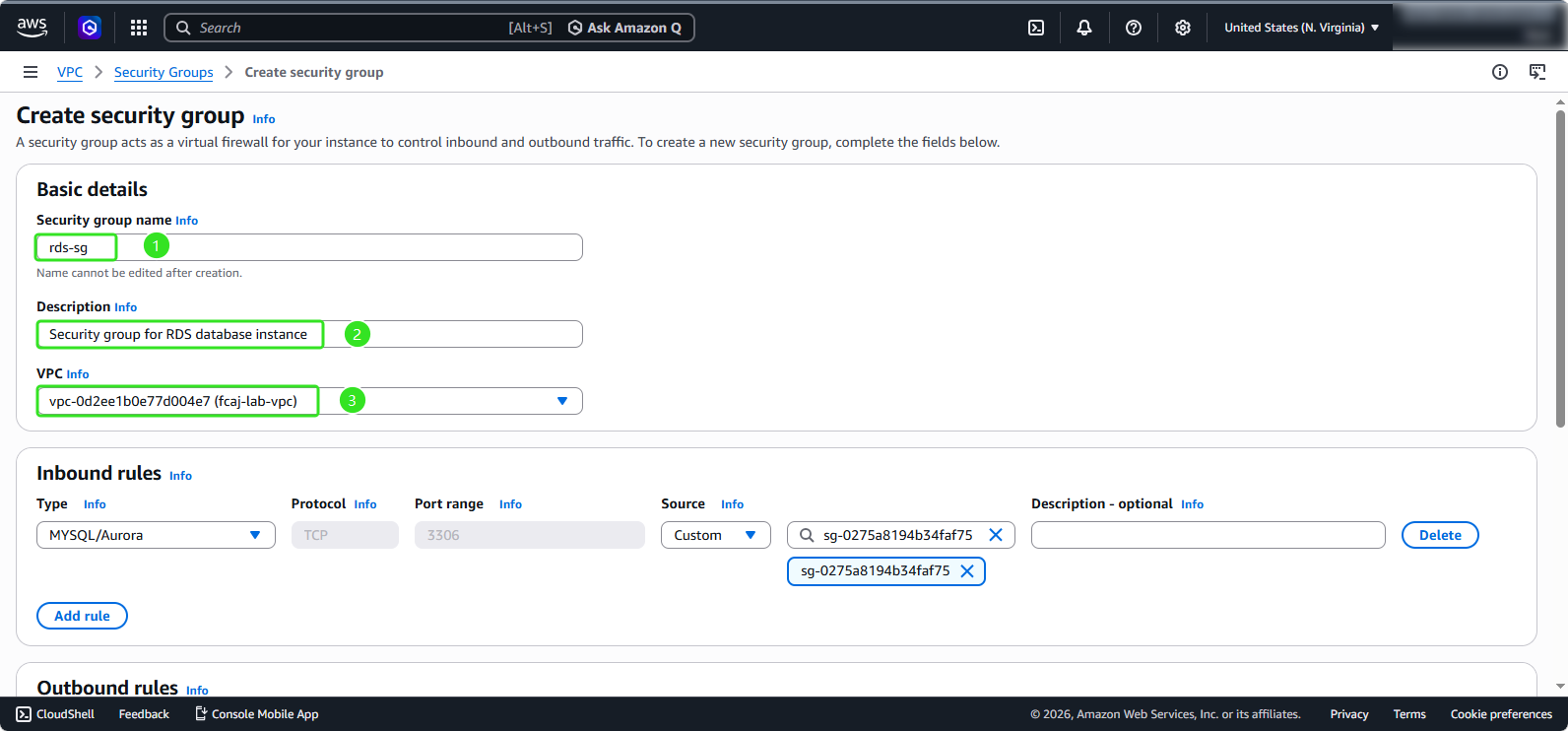
- Configure the Security Group:
- In the Basic details section:
- Security group name:
rds-sg - Description:
Security group for RDS database instance - VPC: fcaj-lab-vpc
- In the Inbound rules section:
- Select Type: MYSQL/Aurora
- Source: Select fcaj-sg-public
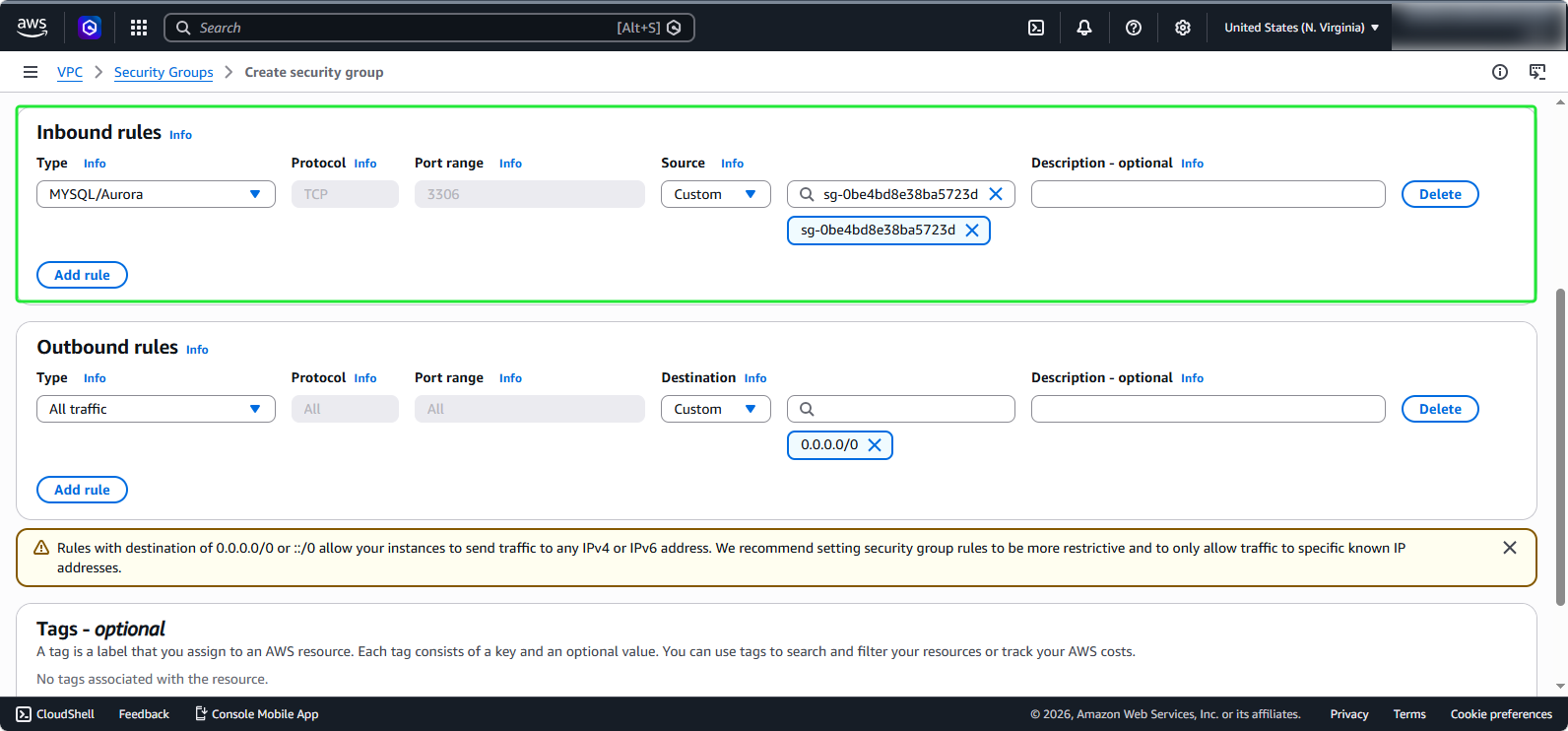
- For the Outbound rules, we will also leave it as default. Click on Create security group.