Create IAM Roles for ECR Access
Policy Configuration
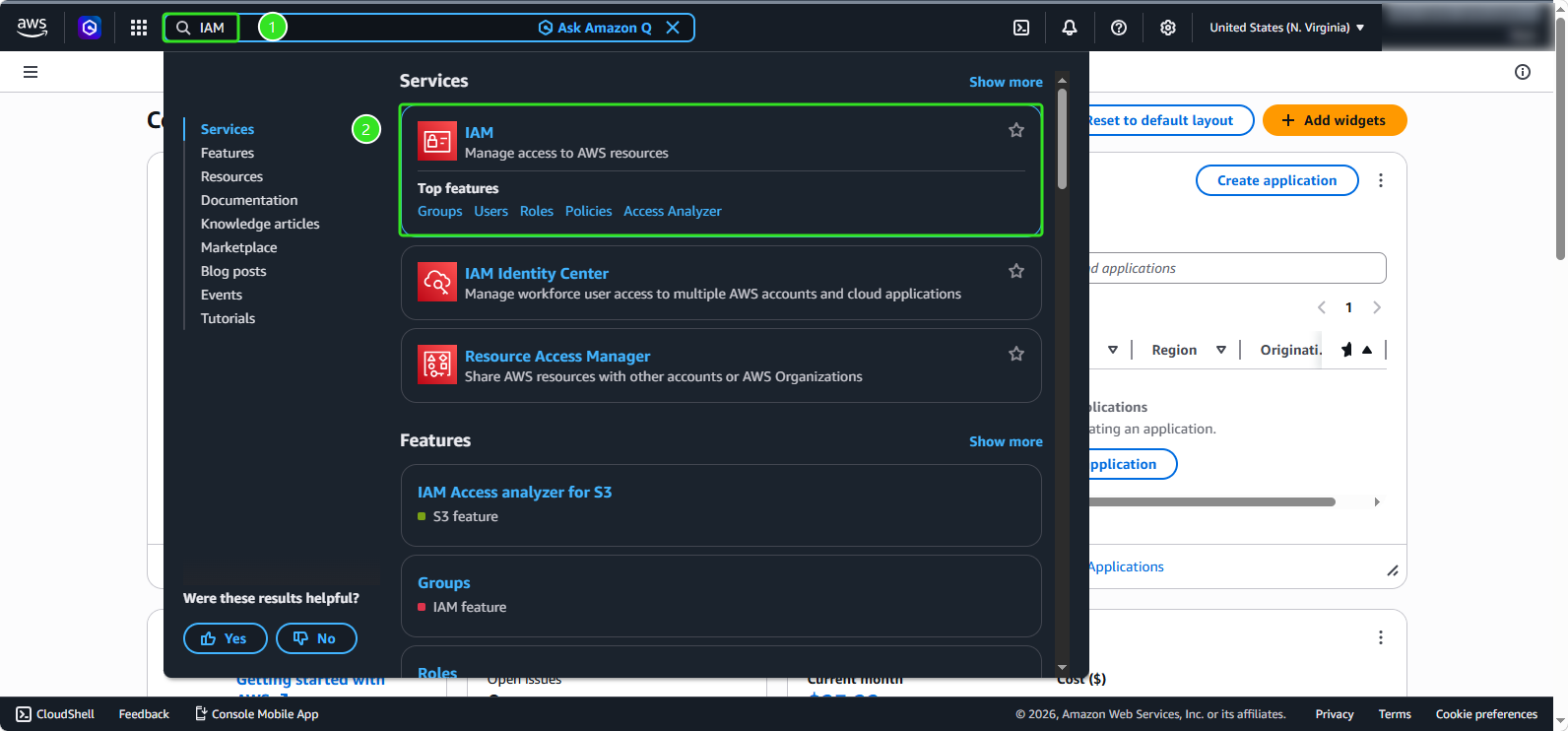
- In the AWS Console interface, search for and select
IAM
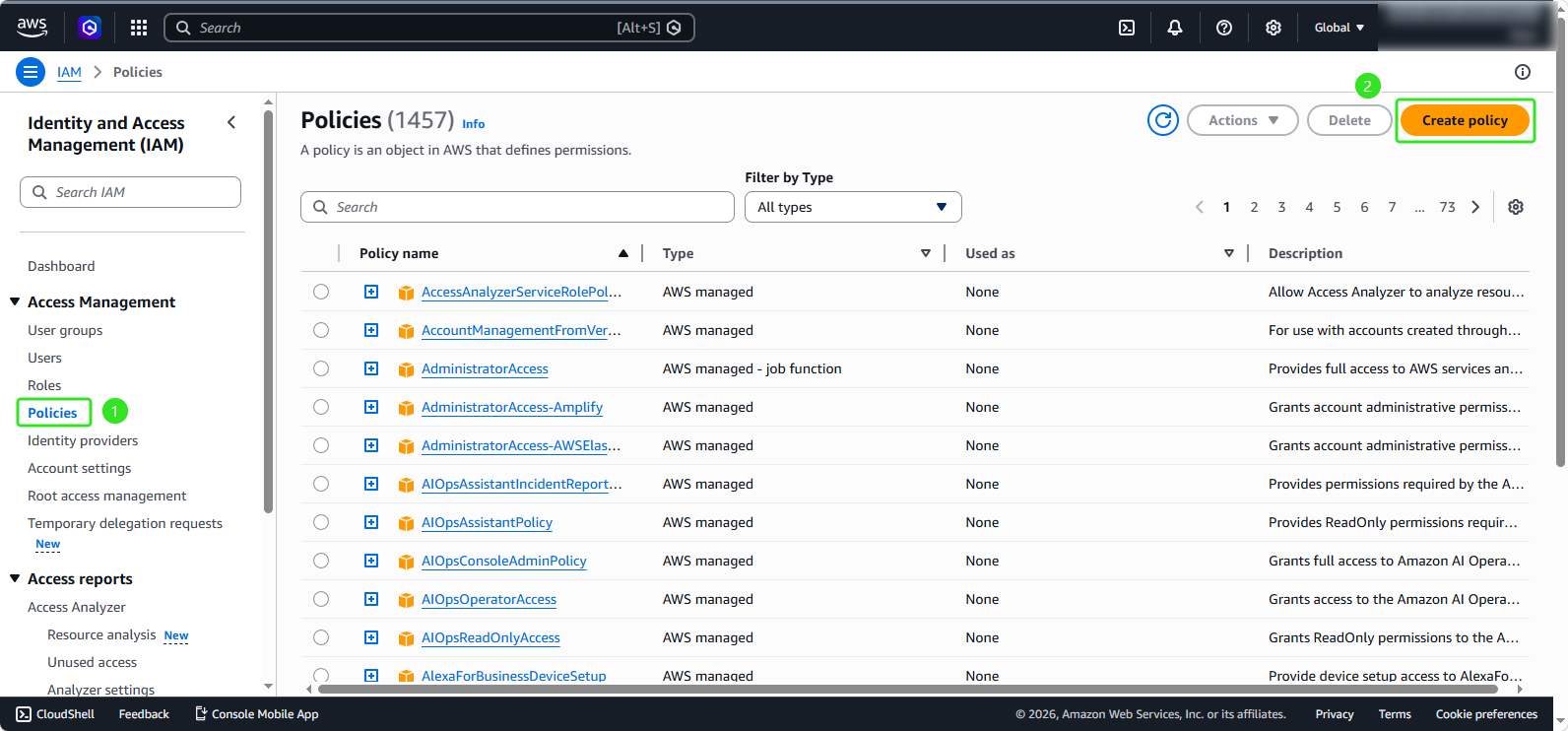
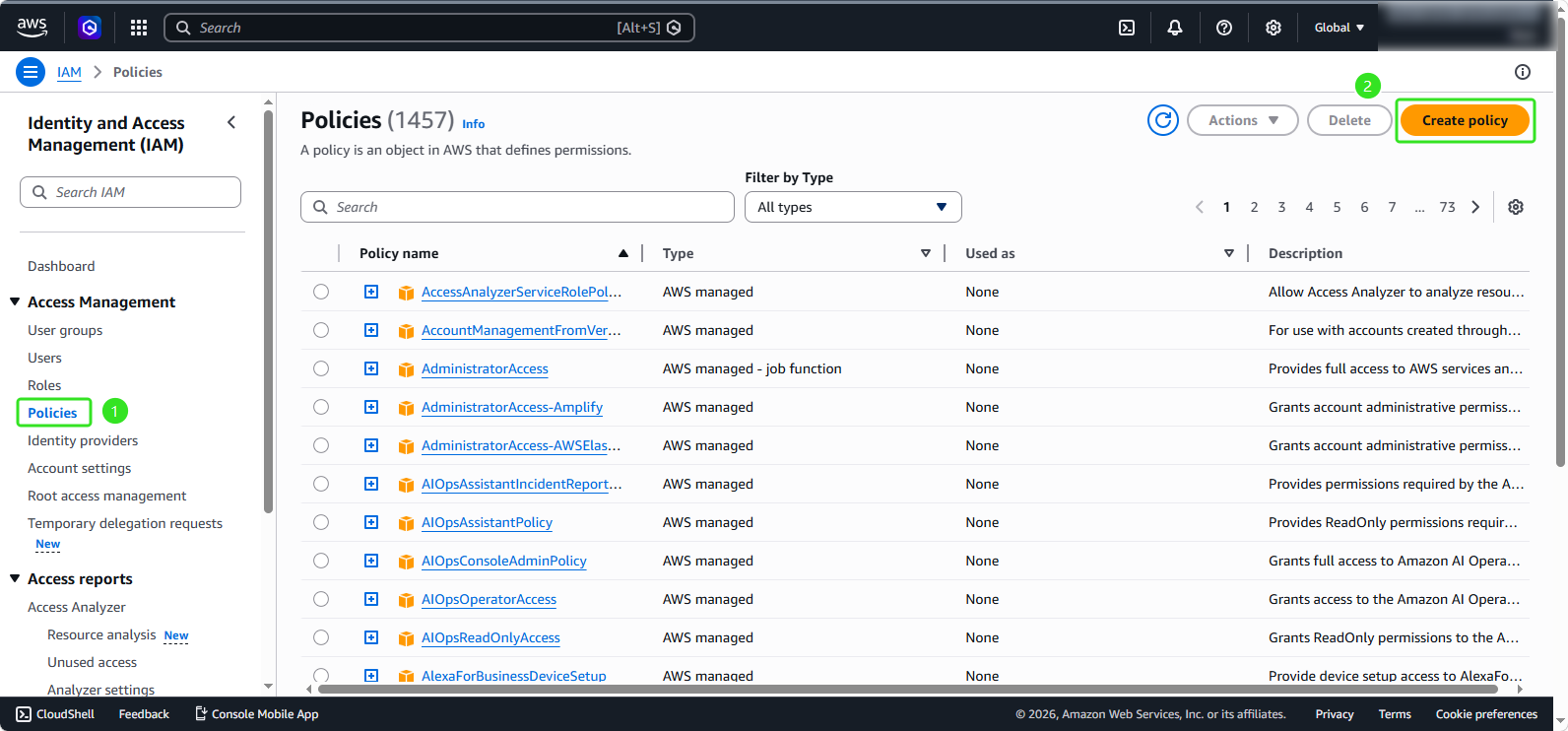
- In the right selection menu:
- Select Policies
- Click on Create policy
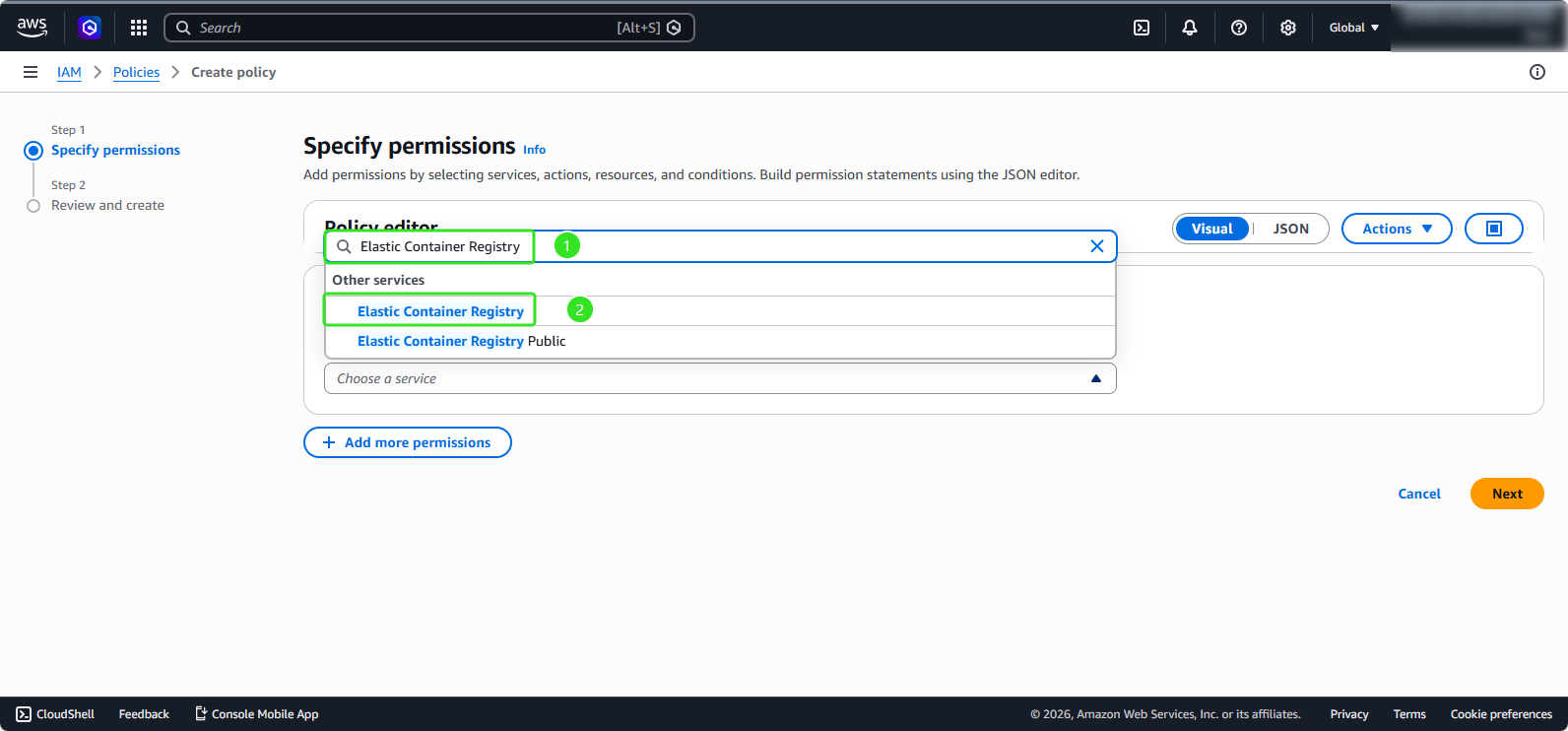
- In the Policy Editor, search for and select Elastic Container Registry
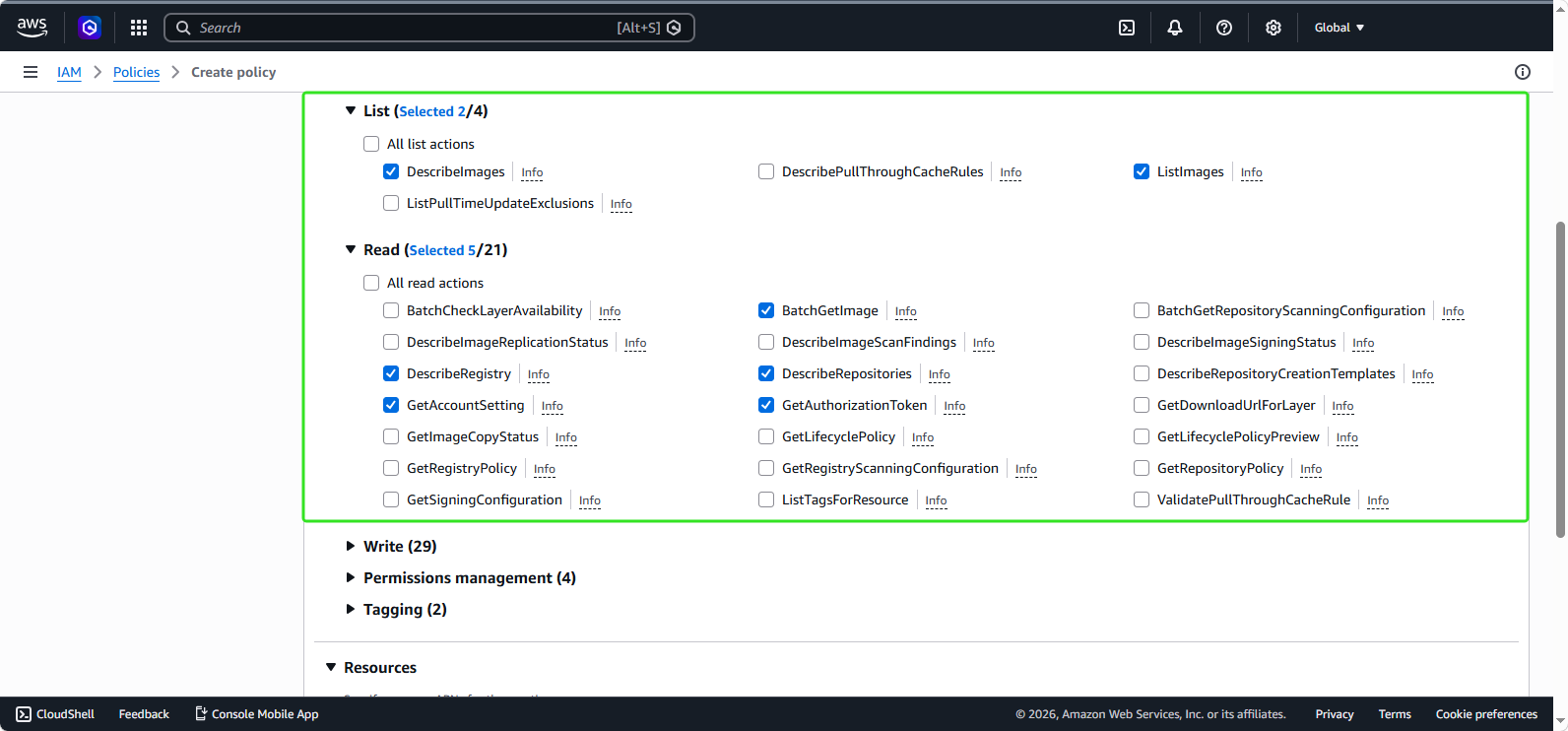
- A rule selection panel appears. In the List section:
- Select DescribeImage
- Select ListImages
- In the Read section:
- Select BatchGetImage
- Select DescribeRegistry
- Select DescribeRepositories
- Select GetAccountSetting
- Select GetAuthorizationToken
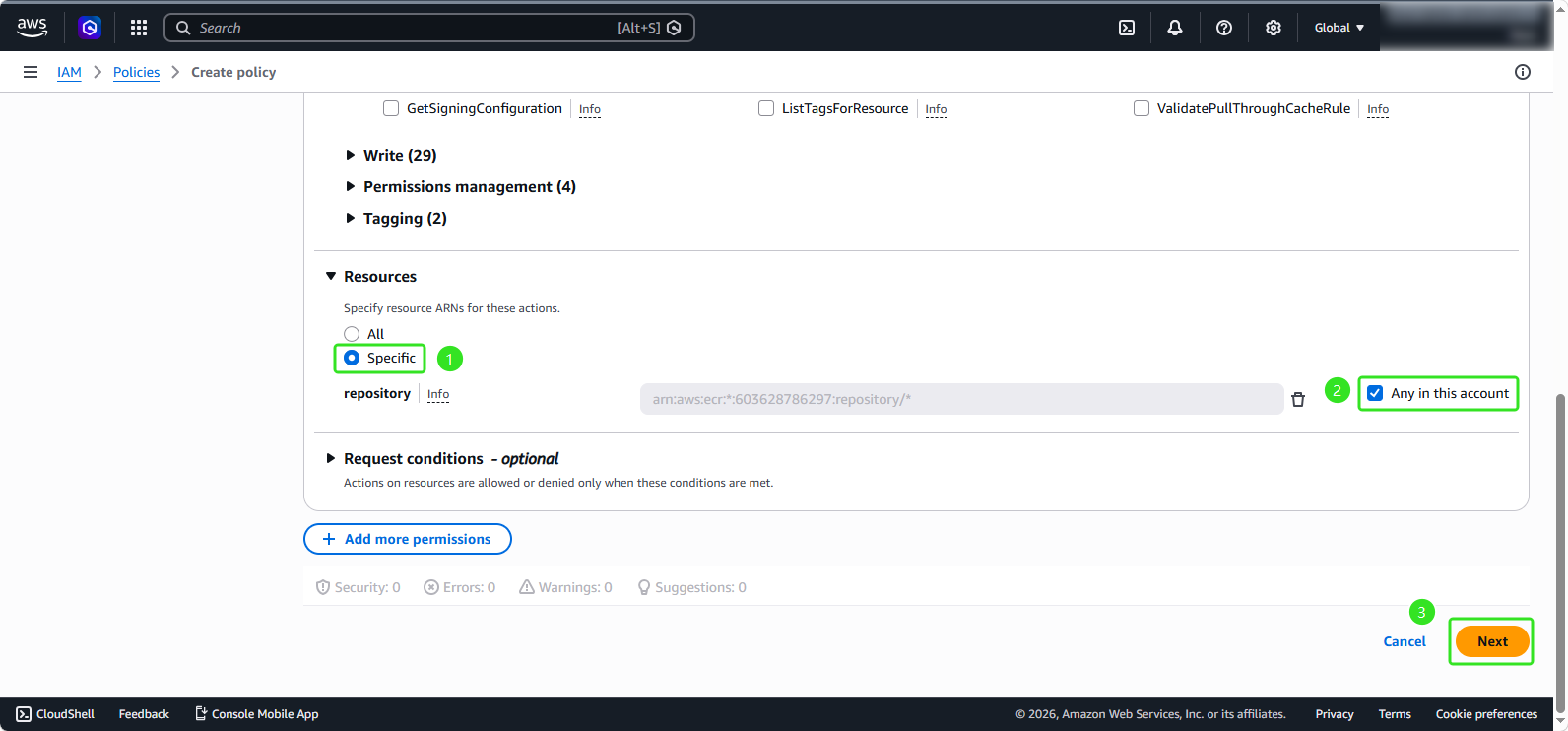
- In the Resources section:
- Select Specific
- Select Any in this account
- Click Next
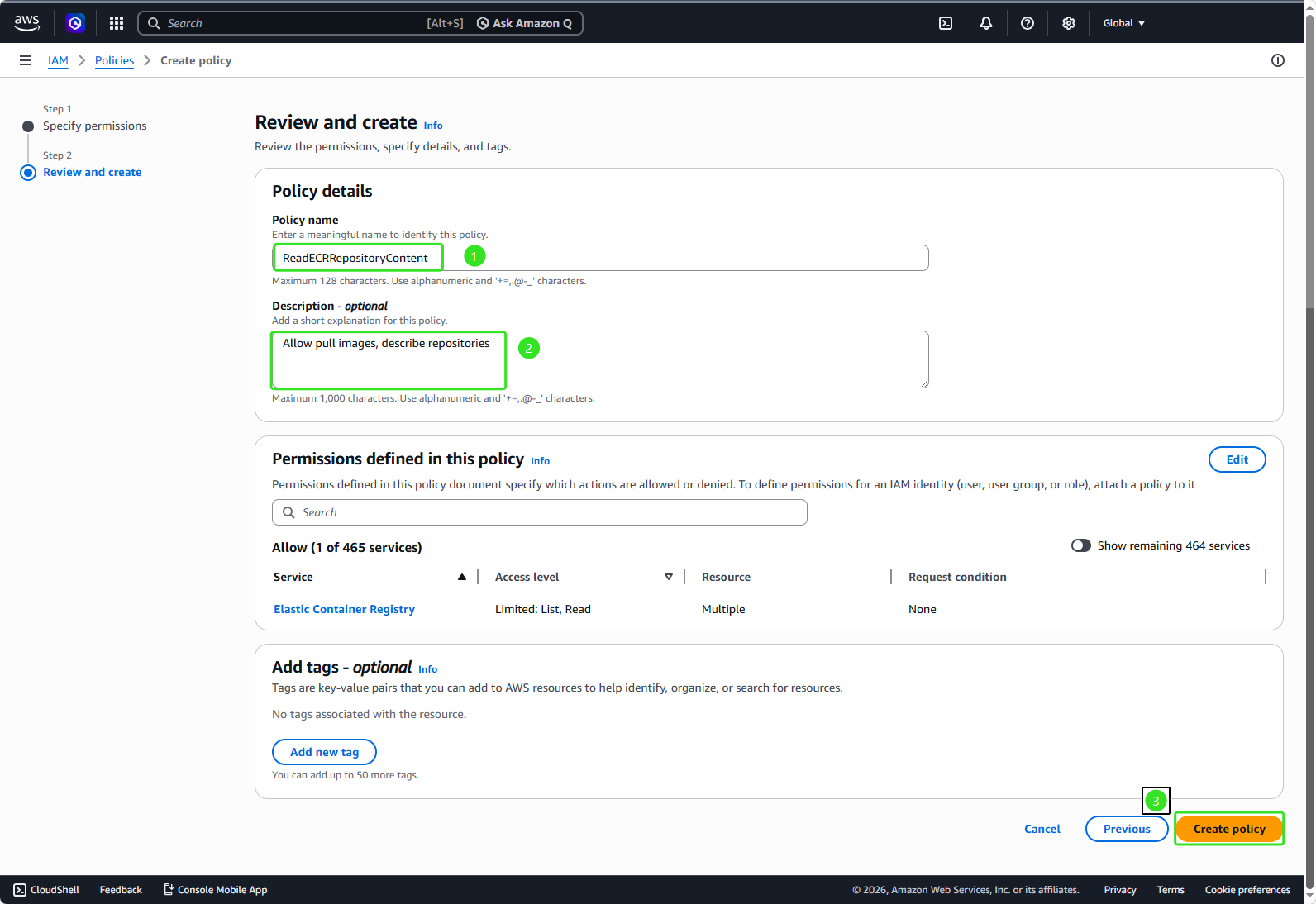
- In the Policy details section:
- Policy name:
ReadECRRepositoryContent - Description:
Allow pull images, describe repositories - Click Create policy
- Similarly, we will create an additional policy for writing to ECR by clicking Create Policy:
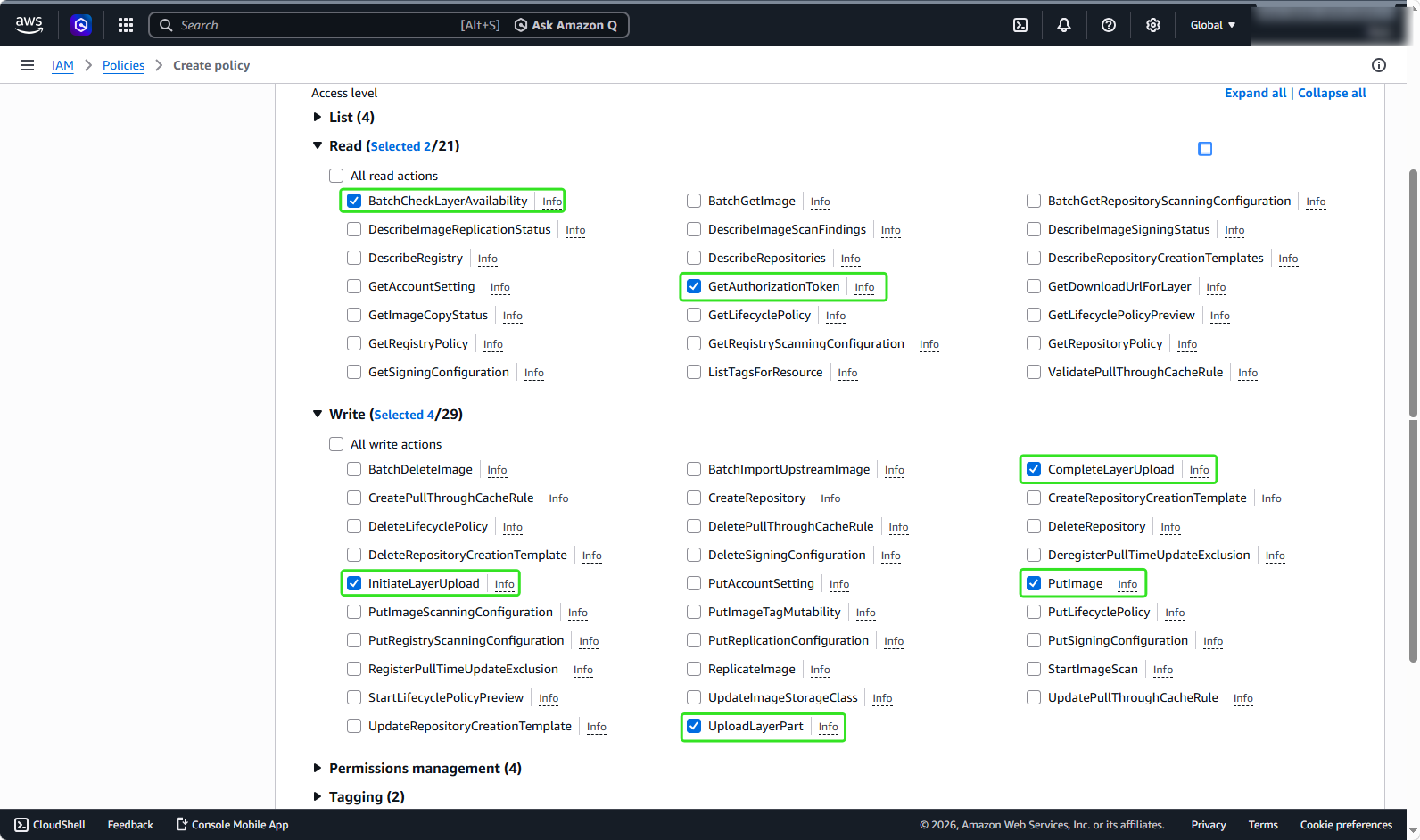
- A rule selection panel appears:
In the Read section:
- Select BatchCheckLayerAvailability
- Select GetAuthorizationToken
In the Write section:
- Select CompleteLayerUpload
- Select InitiateLayerUpload
- Select PutImage
- Select UploadLayerPart
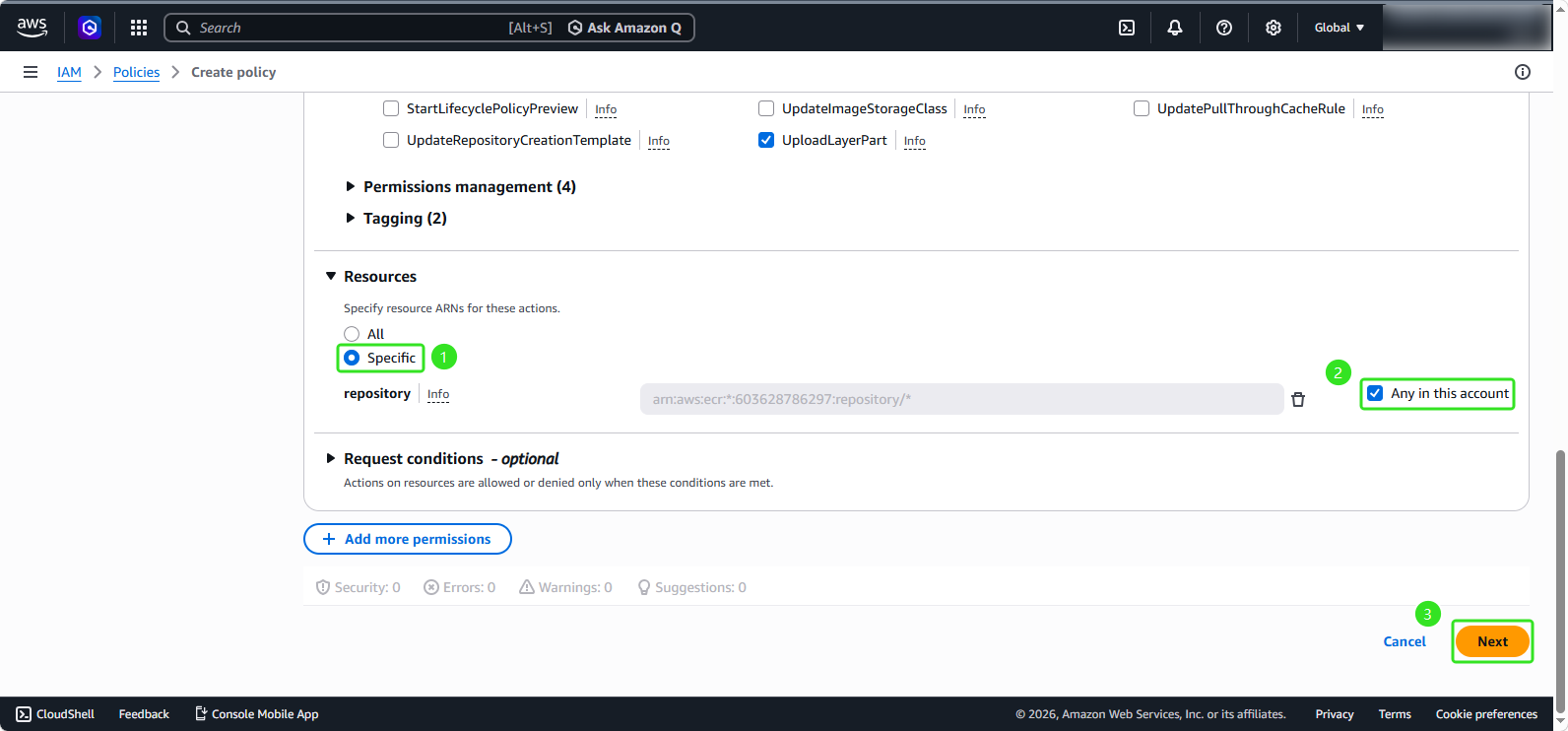
- In the Resources section:
- Select Specific
- Select Any in this account
- Click Next
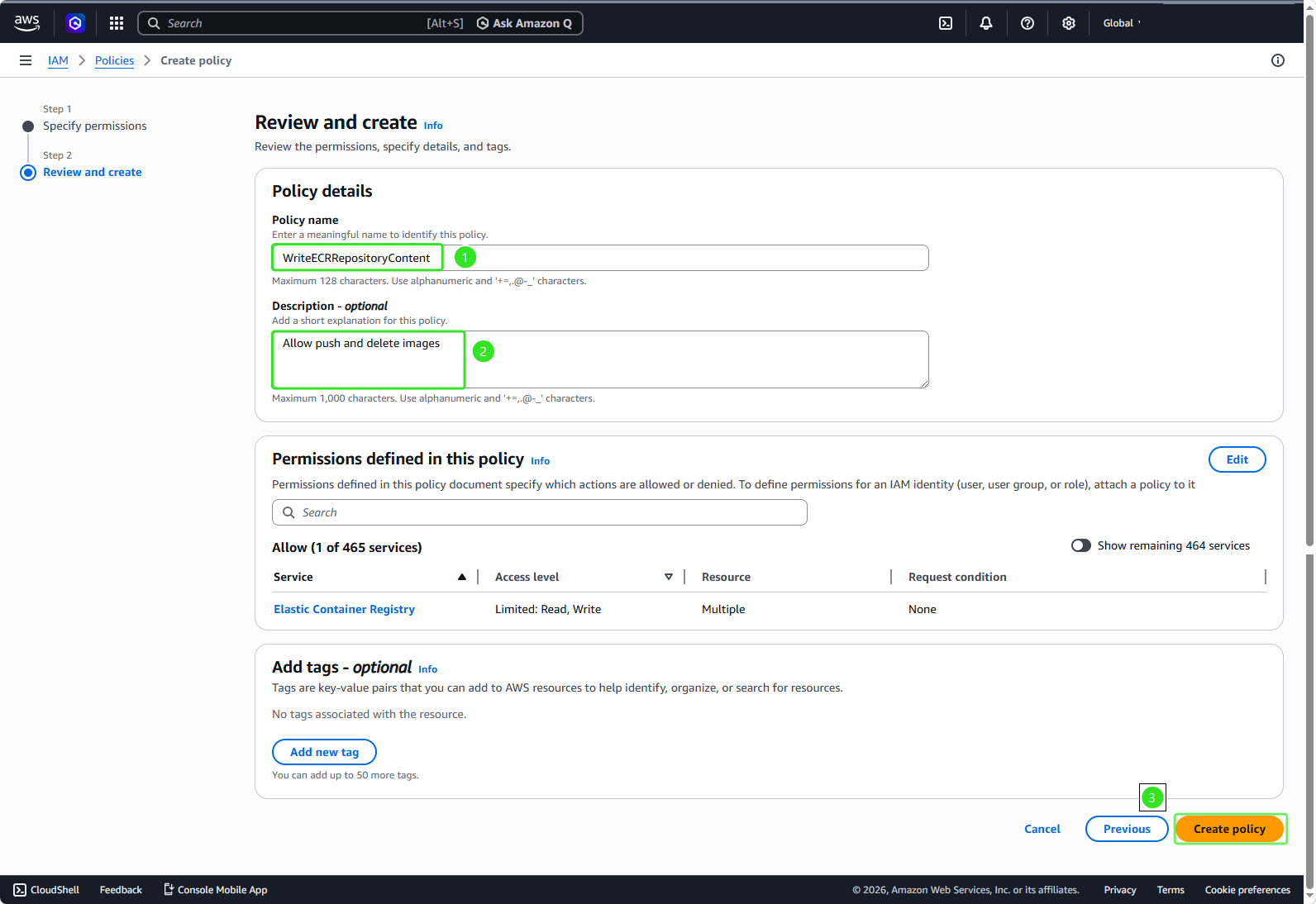
- The Policy details panel appears:
- Policy name:
WriteECRRepositoryContent - Description:
Allow push and delete images - Click Next and select Create policy
Create Role for ECR
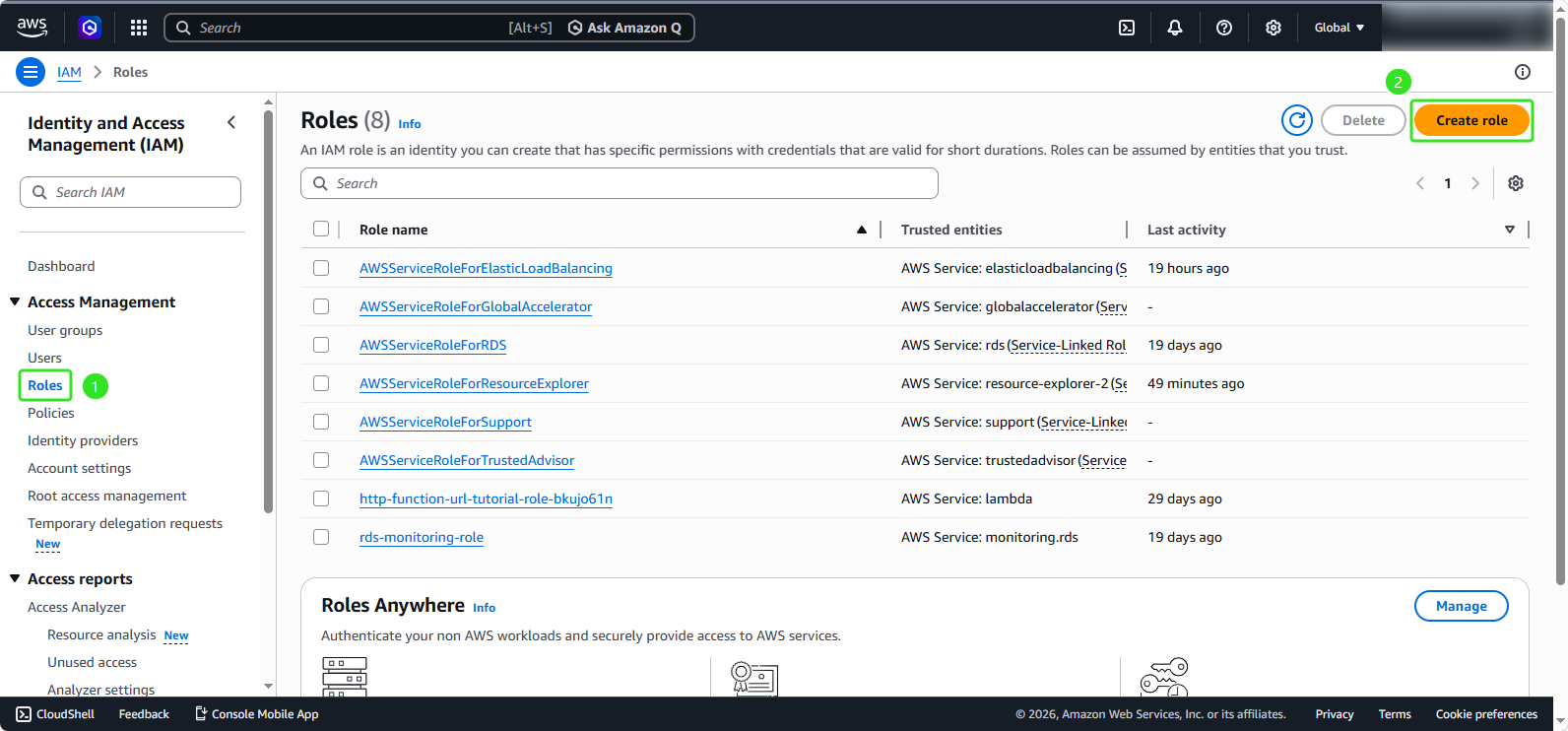
- In the EC2 management interface:
- Select Roles
- Click on Create role
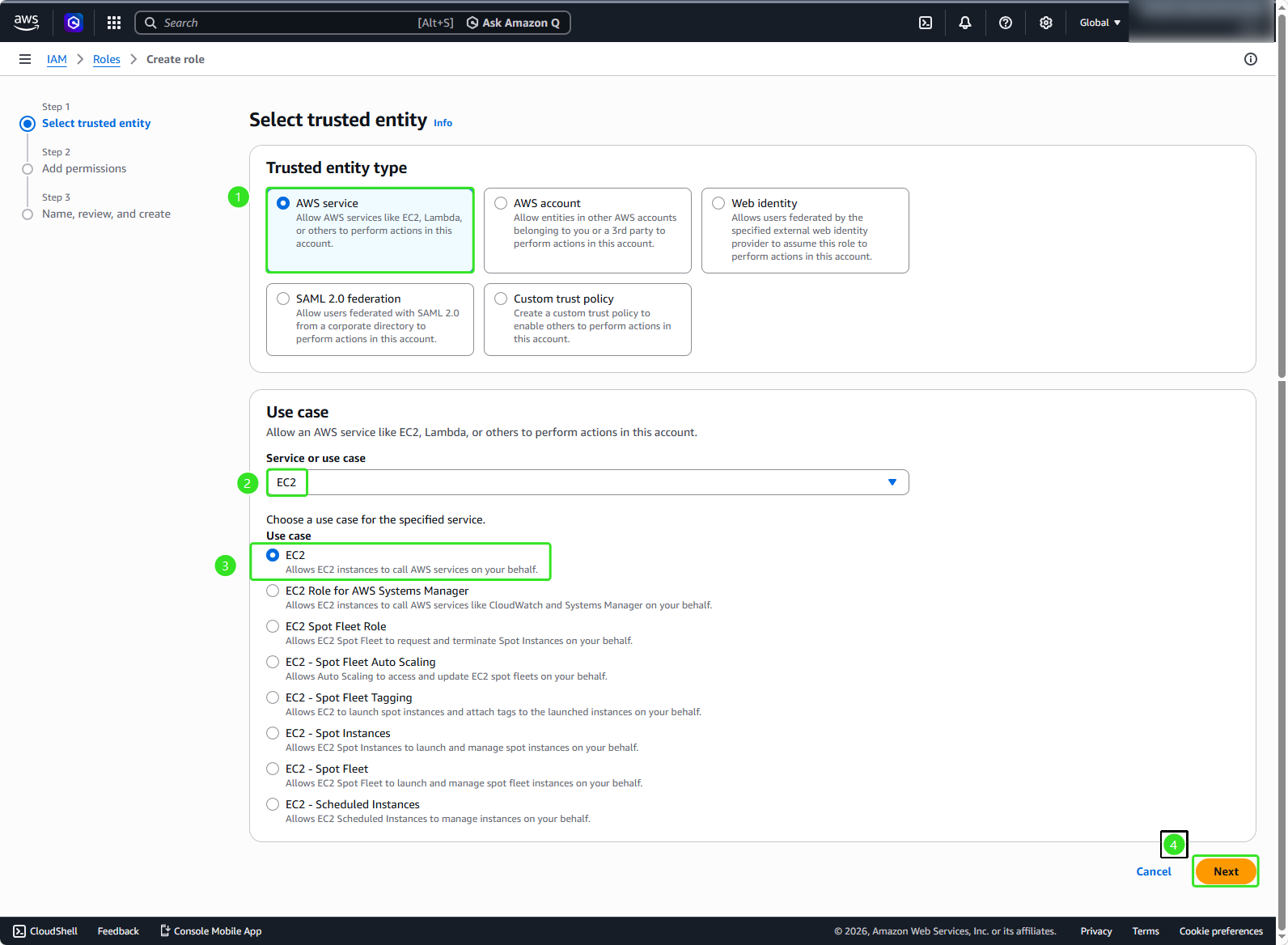
- In the Role details section:
- Trusted entity type: AWS service
- Use case: EC2
- Click Next
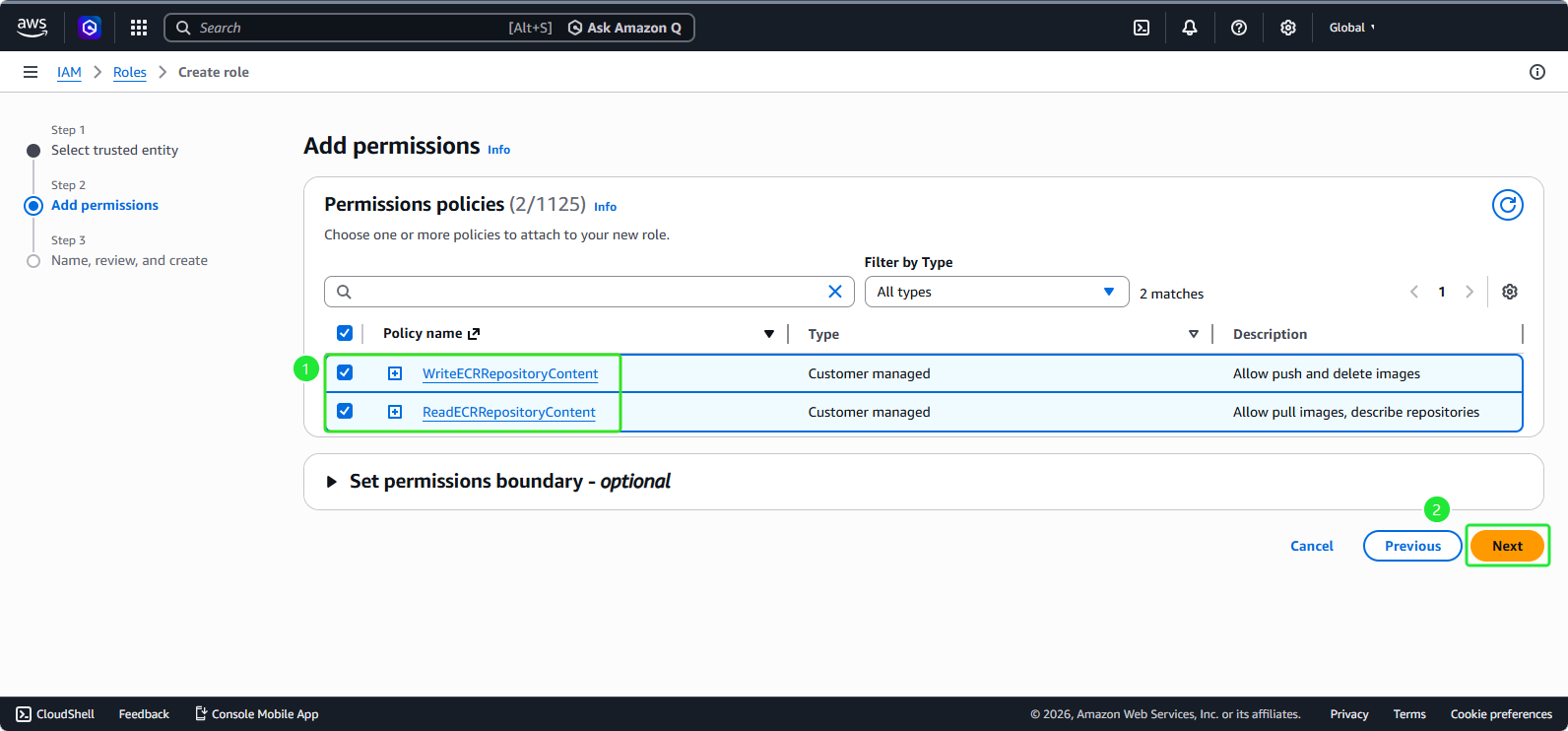
- In the Permissions policies section:
- Select the two policies we just created:
ReadECRRepositoryContentandWriteECRRepositoryContent - Then we will click Next
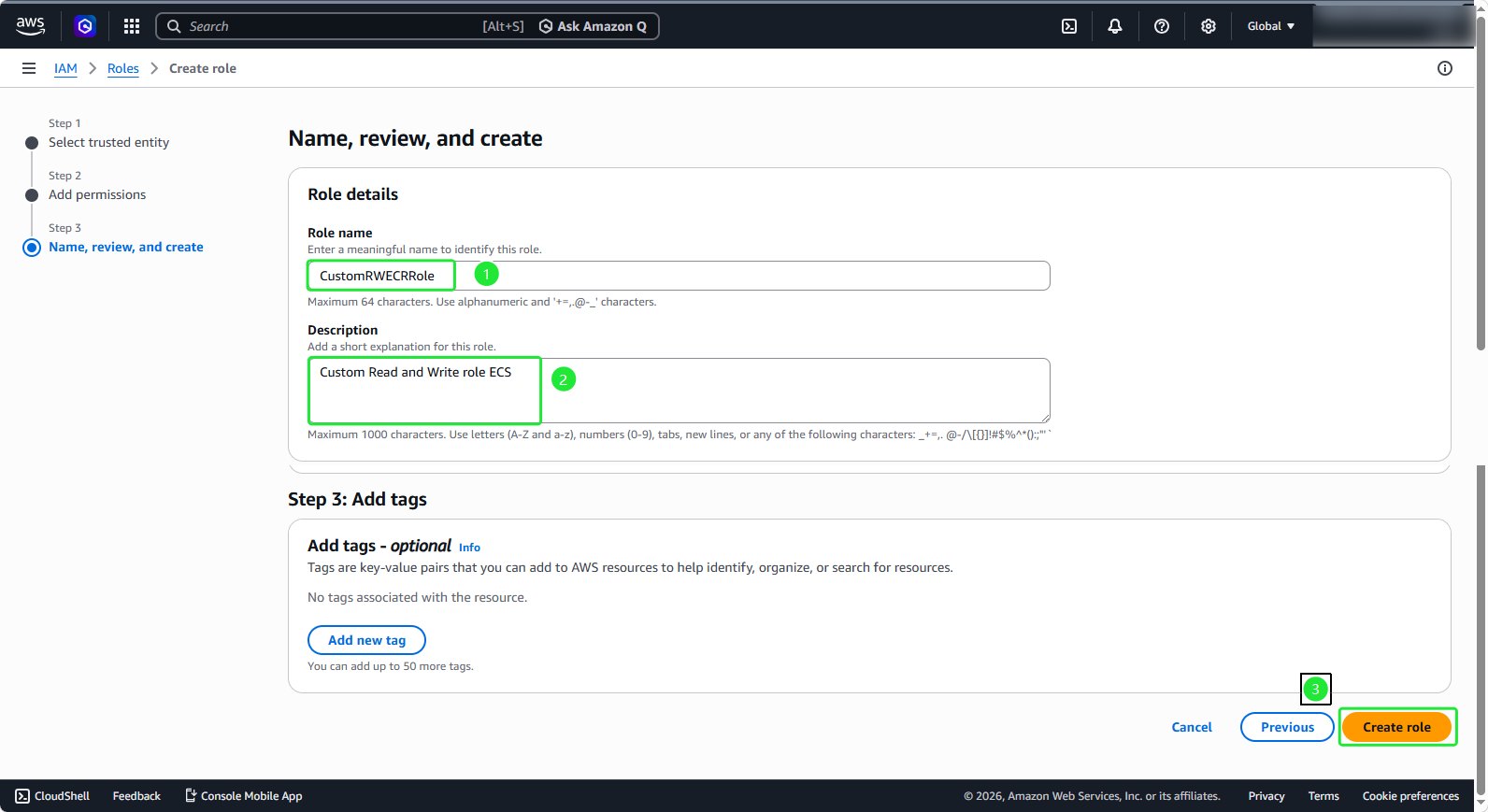
- In the Role details section:
- Role name:
CustomRWECRRole - Description:
Custom Read and Write role ECS - Click Create role