Create DB Subnet Group
Create DB Subnet Group in Amazon RDS
ℹ️ Information: DB Subnet Group is a collection of subnets designated for your RDS database in a VPC. Subnet groups allow Amazon RDS to provide IP addresses from the subnet group when initializing database instances.
Steps to implement
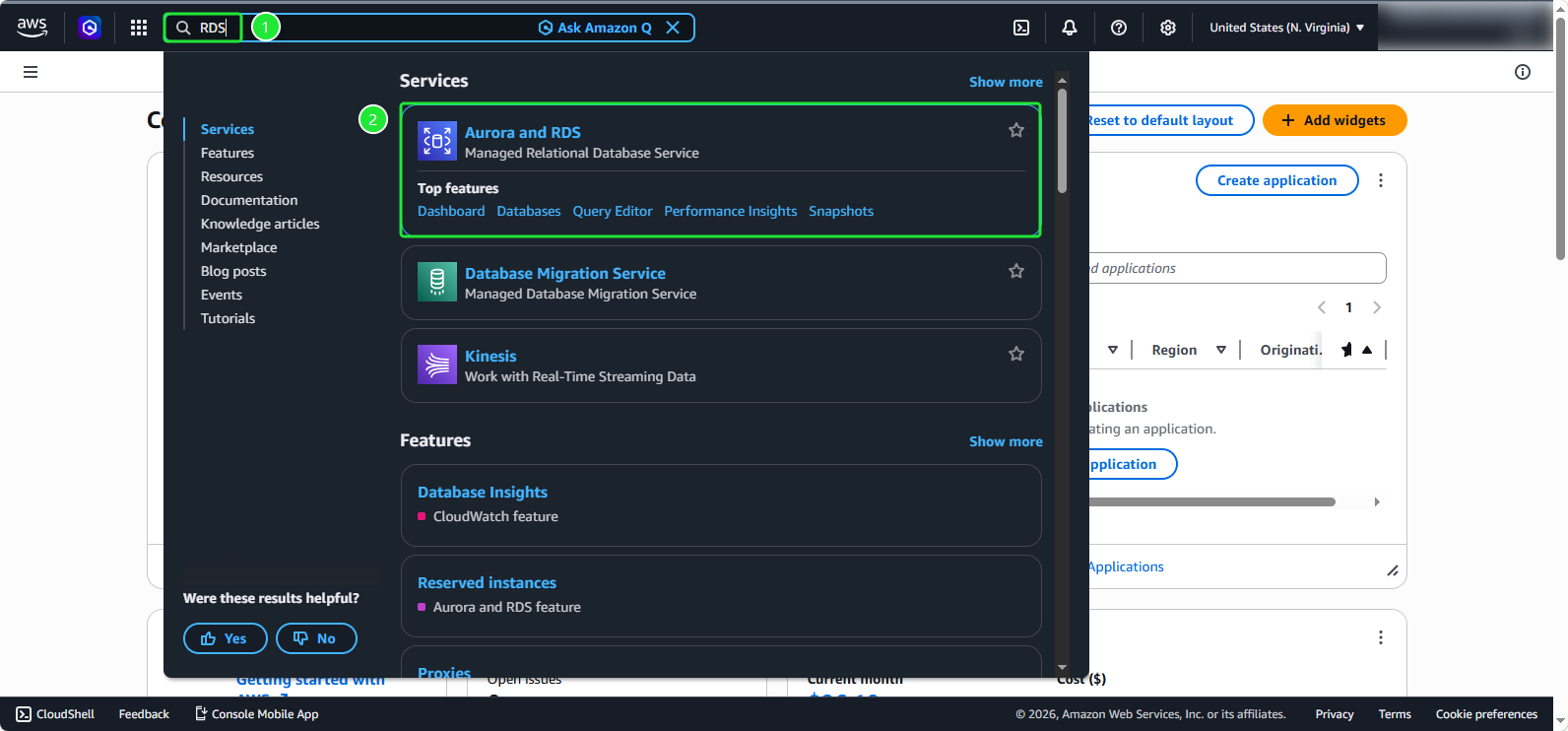
- Access Amazon RDS from AWS Management Console:
- Search for the keyword: RDS
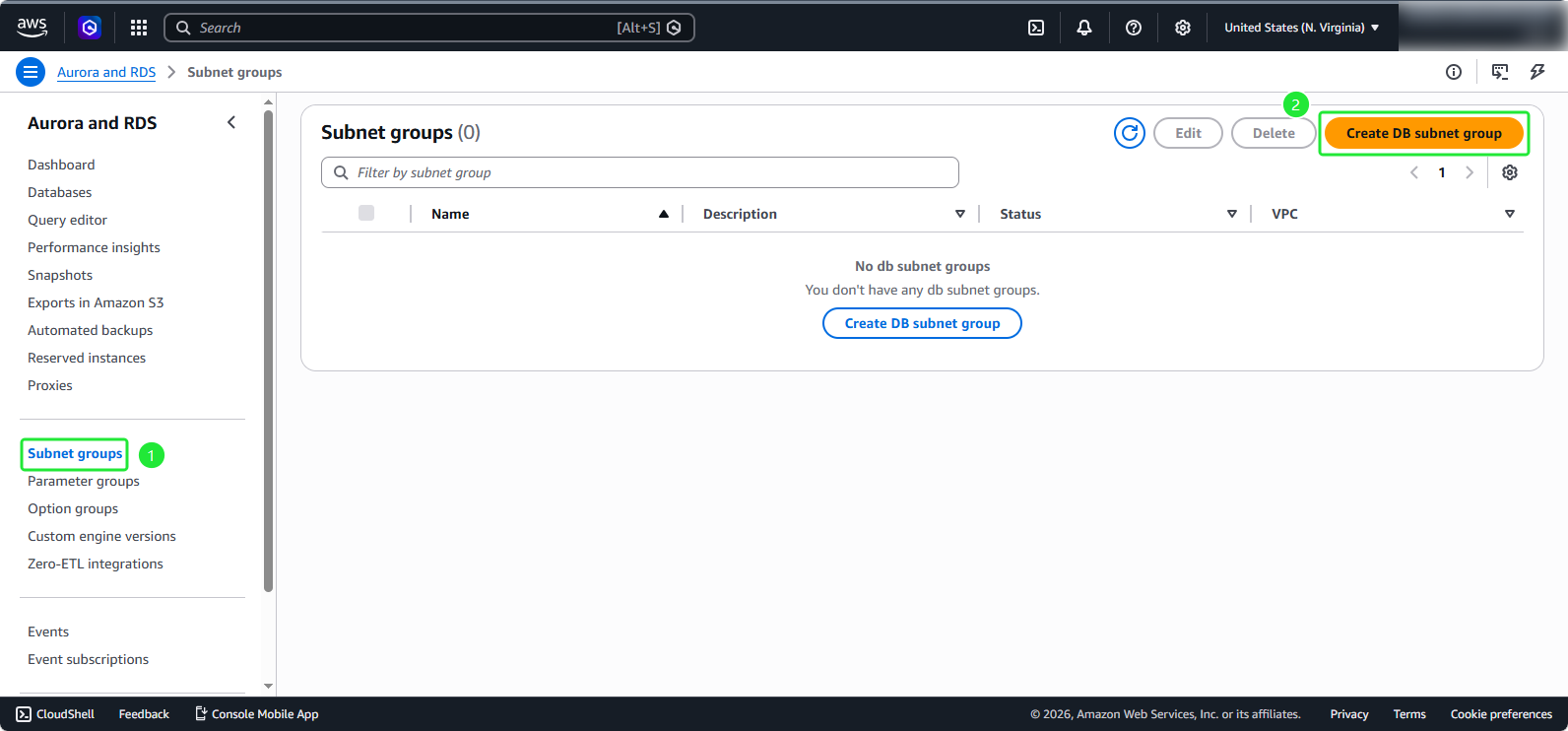
- Select the section: Subnet groups
- Click: Create DB subnet group
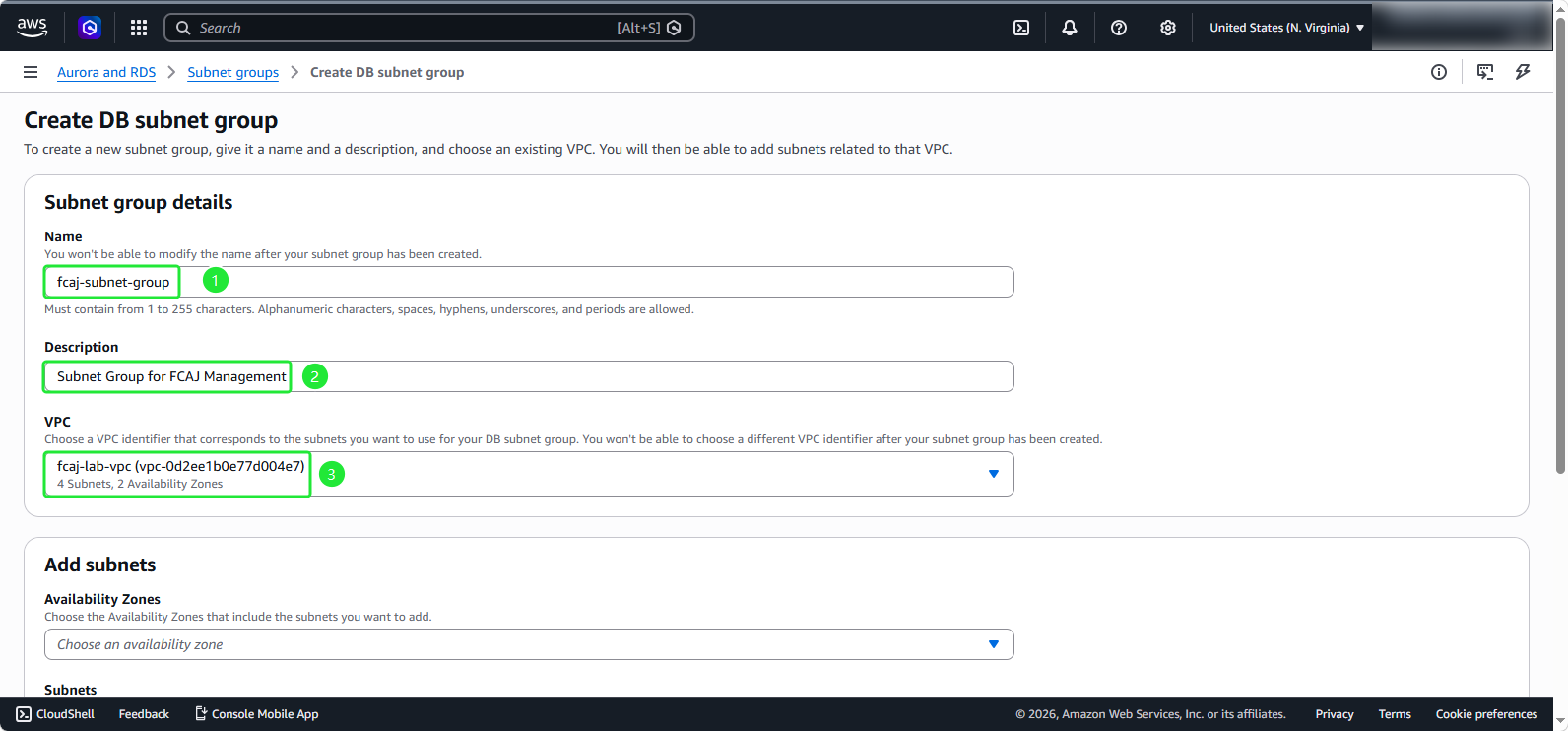
- Configure basic information:
- Enter the name:
fcaj-subnet-group - Enter the description:
Subnet Group for FCAJ Management - Select the VPC previously created fcaj-lab-vpc
- Enter the name:
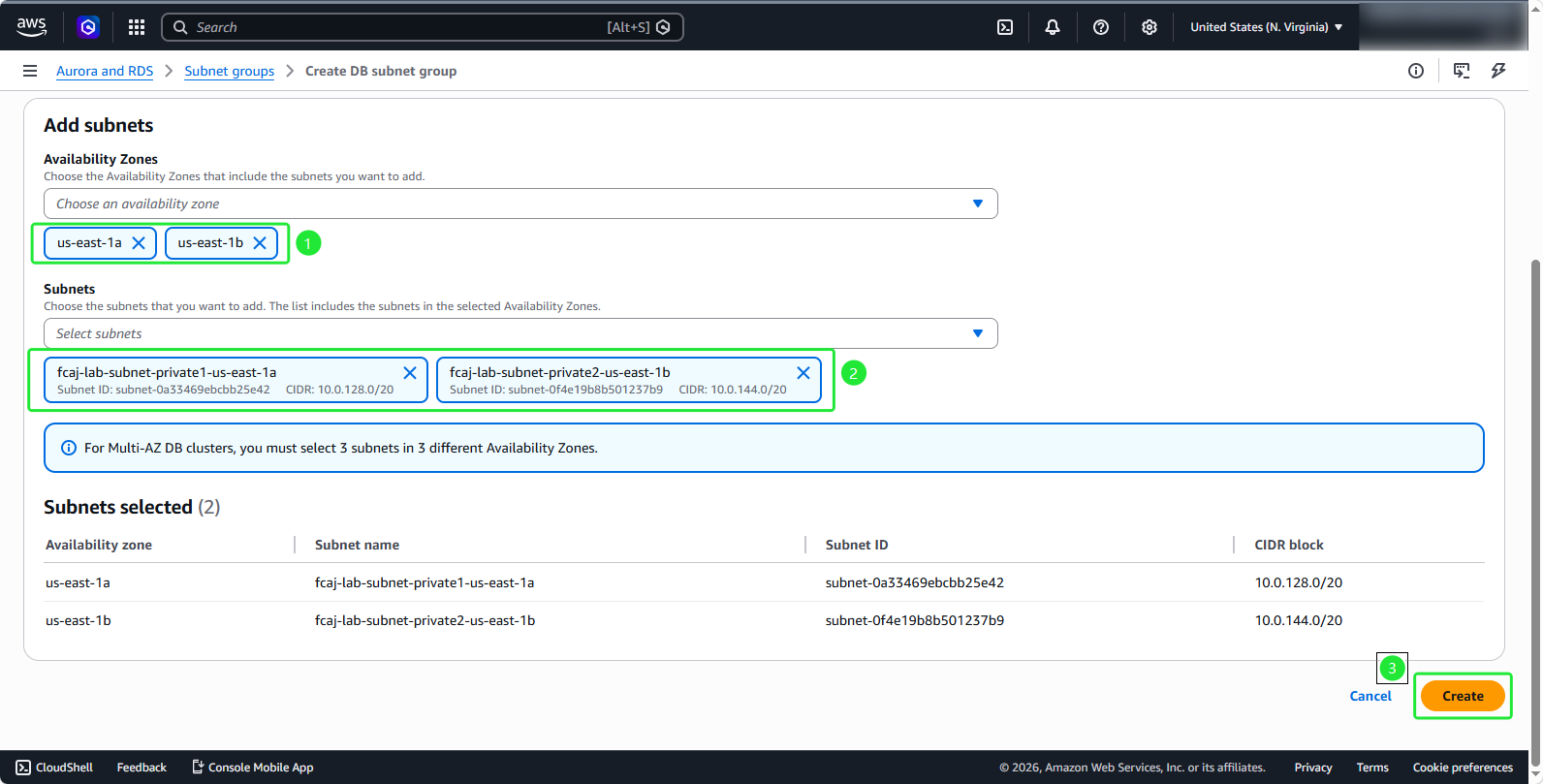
- Configure Subnets:
- Choose the Availability Zones created along with the VPC
- Select 2 Private subnet
- Review and click Create
💡 Pro Tip: Using multiple Availability Zones helps increase availability and fault tolerance for your database.
🔒 Security Note: Always place RDS databases in private subnets to enhance security and avoid direct access from the internet.
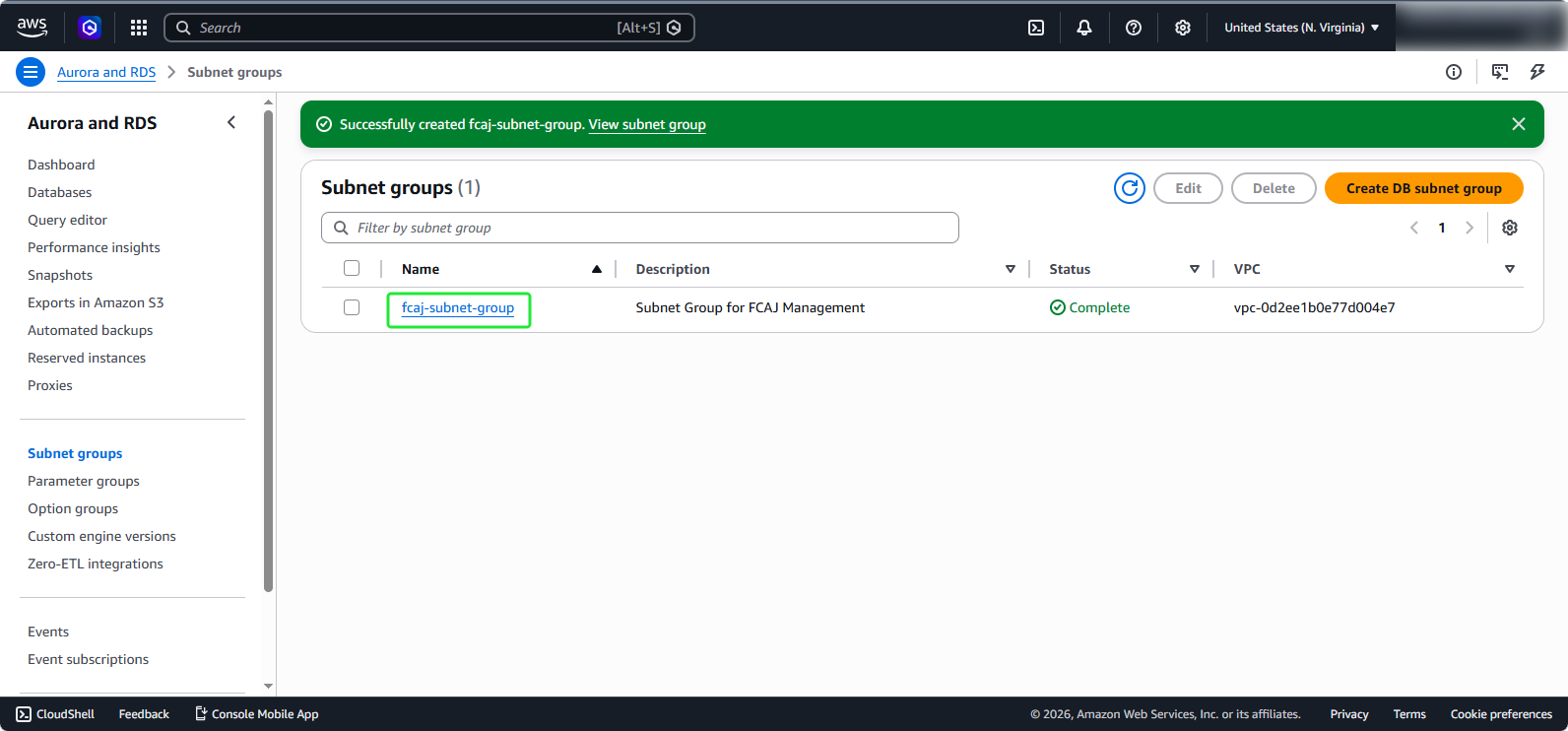
- After successful creation, you will see the new DB Subnet Group in the list