Clean up resources

Resource Cleanup Overview

ℹ️ Information: Proper resource cleanup in AWS is critical for cost management and security. This section guides you through terminating all resources created during this workshop.

⚠️ Warning: Failure to properly clean up resources may result in unexpected charges to your AWS account.

💡 Pro Tip: Consider using AWS Resource Groups or AWS CloudFormation for easier resource management and cleanup in future projects.

Note: In the next section, we will explore Amazon Elastic Container Service (Amazon ECS) and implement a CI/CD Pipeline, so we can skip some parts in the resource cleanup.

Clean Up Amazon Elastic Container Registry (ECR)

ℹ️ Information: Amazon ECR is a fully managed container registry service that makes it easy to store, manage, and deploy container images.

Follow these steps to remove your ECR repositories:

  1. Navigate to the AWS Management Console
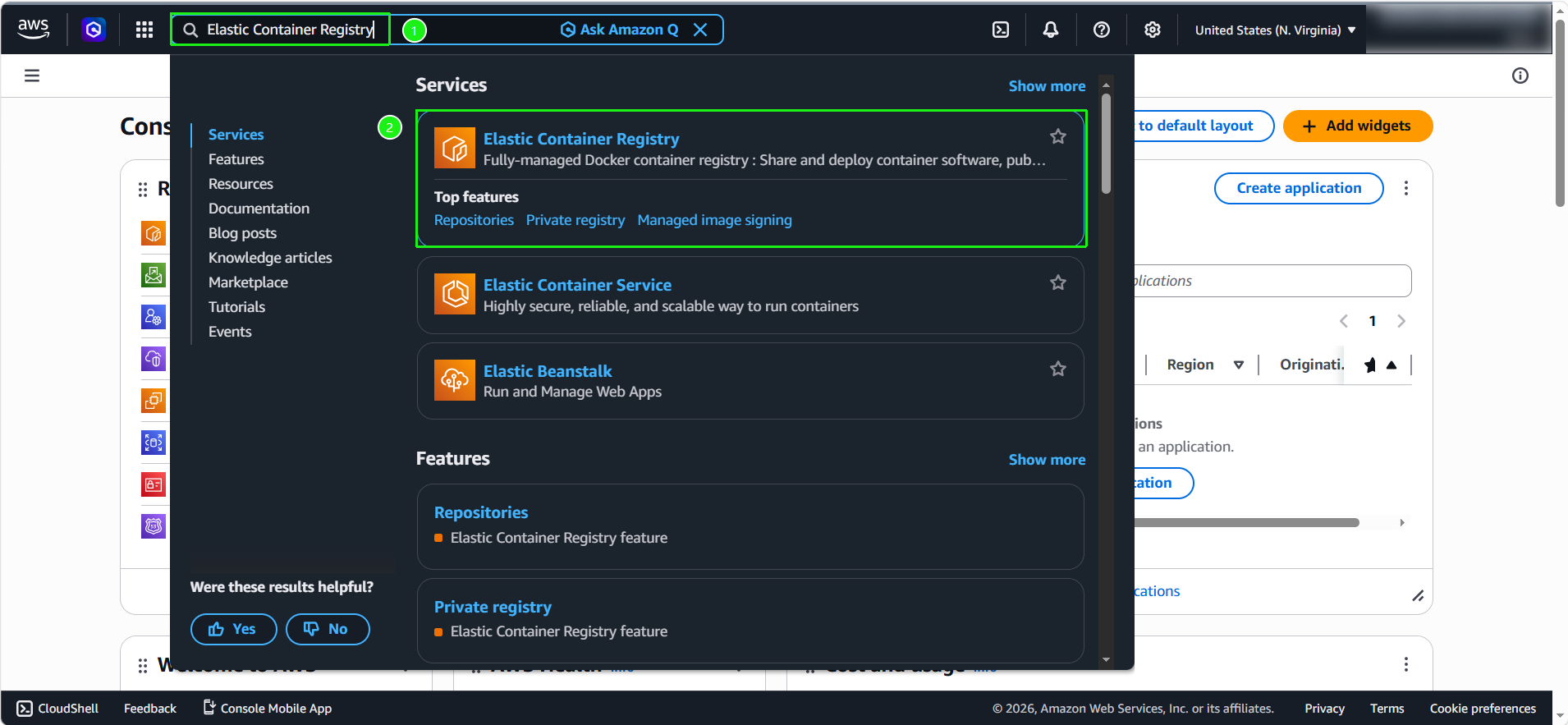
  2. Search for and select Elastic Container Registry

9.1

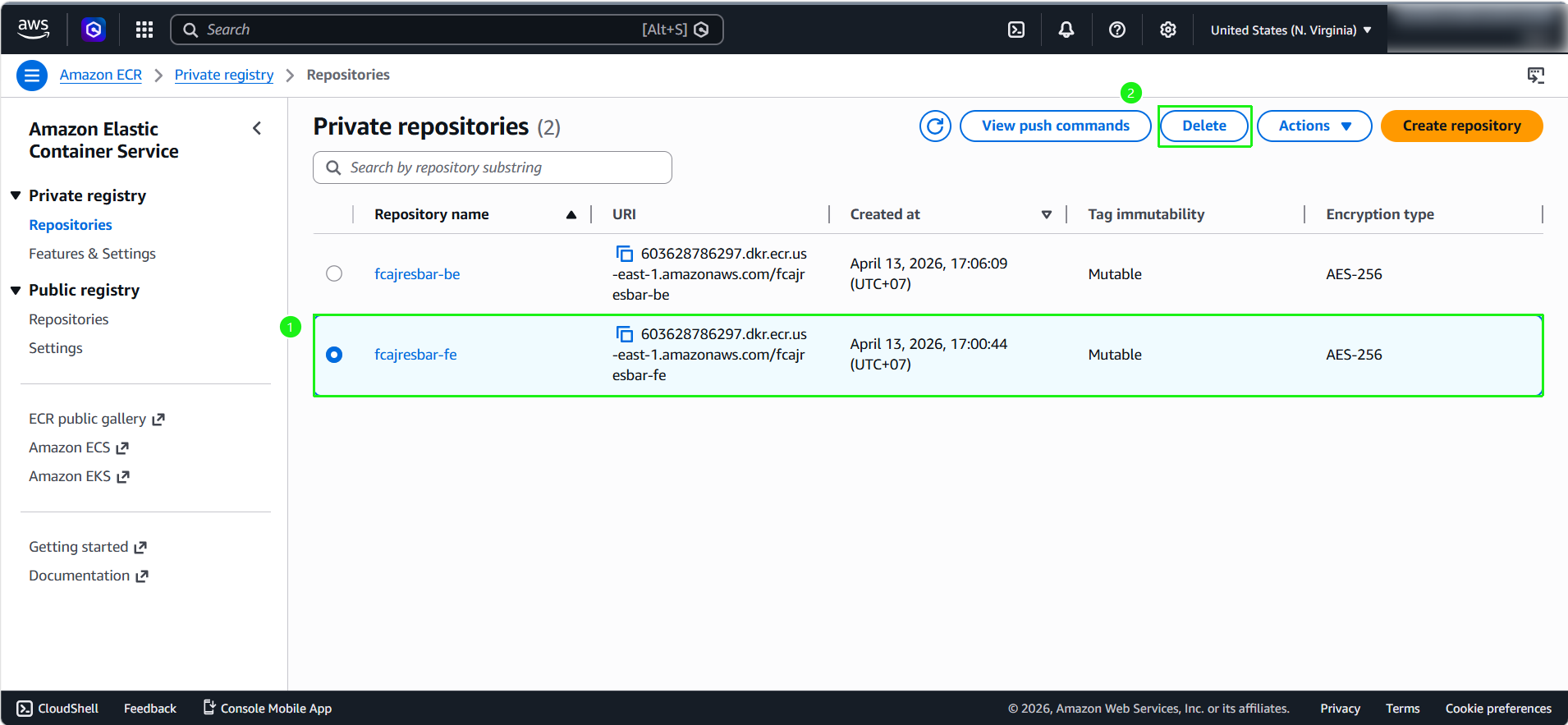
  1. Locate the repositories created during this workshop:
    • Select fcajresbar-fe
    • Click Delete

9.2

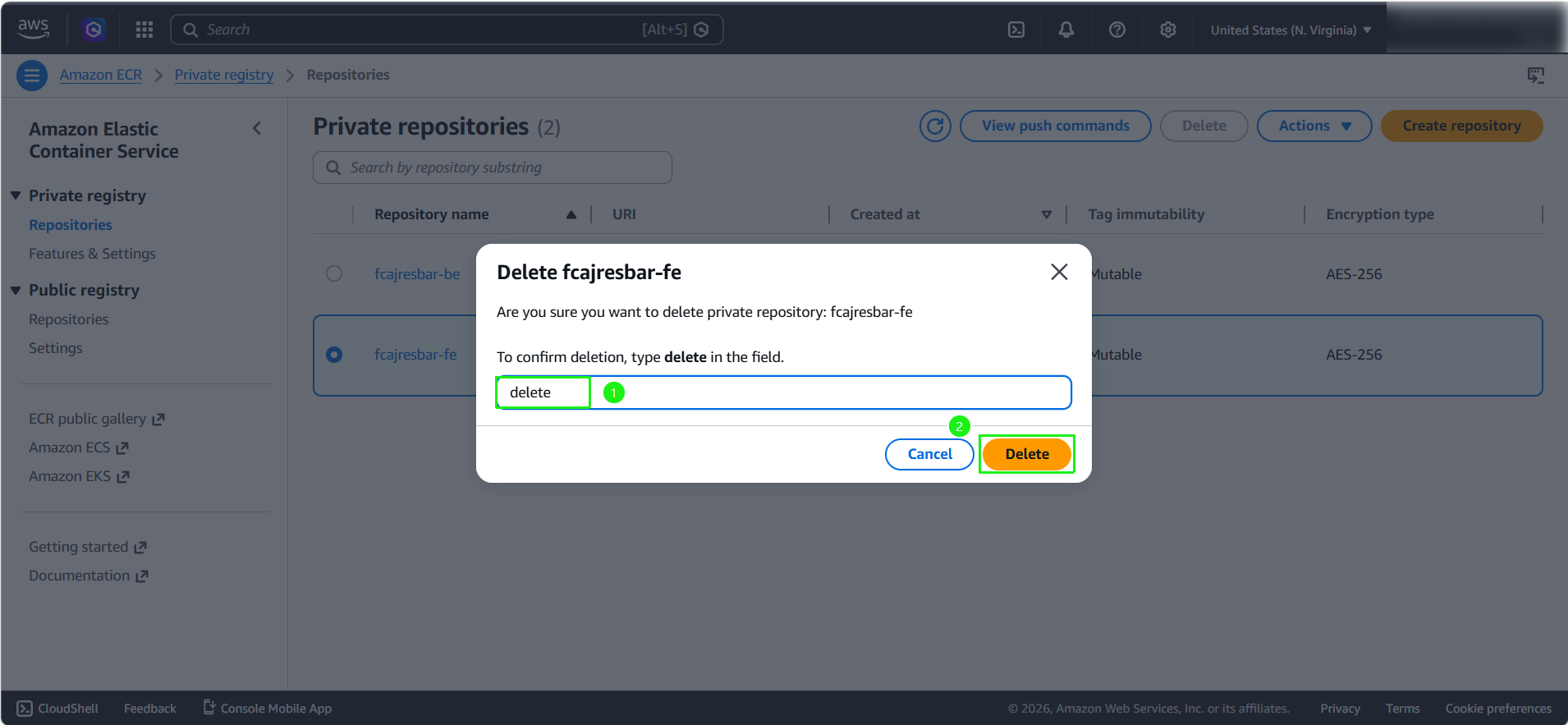
  1. Confirm the deletion when prompted

9.3

  1. Repeat the process for the backend repository:
    • Select fcajresbar-be
    • Click Delete

9.4

  1. Confirm the deletion when prompted

9.5

Clean Up Amazon EC2 Resources

ℹ️ Information: Amazon EC2 provides resizable compute capacity in the AWS Cloud. Terminating unused instances prevents unnecessary charges.

  1. Navigate to the Amazon EC2 console
  2. Search for and select EC2

9.6

  1. Select the EC2 instance created during this workshop my-server
  2. From the Instance state menu, select Terminate instance

9.7 9.8

Delete IAM Role

🔒 Security Note: IAM roles provide permissions to AWS services and should be cleaned up when no longer needed to follow the principle of least privilege.

  1. Navigate to the AWS Identity and Access Management (IAM) console
  2. Search for and select IAM
  3. In the left navigation panel:
    • Select Roles
    • Search for CustomRWECRRole
    • Select the role
    • Click Delete

9/12

  1. Confirm by entering the role name CustomRWECRRole
  2. Click Delete 9/13 9.14

Clean Up Amazon RDS

ℹ️ Information: Amazon RDS makes it easy to set up, operate, and scale relational databases in the cloud. Properly terminating RDS instances is important to avoid ongoing charges.

  1. Navigate to the Amazon RDS console
  2. Search for and select RDS

9.16

  1. Select Databases
  2. Choose the fcaj-rds-instance created during this workshop
  3. Click Actions
  4. Select Delete

9.17

  1. In the confirmation dialog:
    • Uncheck Create final snapshot and Retain automated backup
    • Check I acknowledge that upon instance deletion, automated backups, including system snapshots and point-in-time recovery, will no longer be available.
    • Enter delete me in the field
    • Click Delete

9.18

⚠️ Warning: Deleting an RDS instance is permanent. Ensure you’ve created any necessary final snapshots if you need to preserve your data.

Clean Up Elastic Network Interfaces (ENI)

ℹ️ Information: Elastic Network Interfaces (ENI) are logical networking components in a VPC. Sometimes, after deleting services, associated ENIs might be left behind and must be deleted manually before the VPC can be deleted.

  1. Navigate to the Amazon EC2 console
  2. In the left navigation pane, under Network & Security, select Network Interfaces
  3. Search for and select any network interfaces that are no longer in use (usually in Available status).
  4. Click Actions
  5. Select Delete
  6. Confirm the deletion when prompted.

Clean Up Amazon VPC

ℹ️ Information: Amazon VPC is the networking layer for your AWS resources. Deleting a VPC also removes its associated subnets, route tables, and gateway attachments.

  1. Navigate to the VPC console
  2. Search for and select VPC
  3. Select VPC-Lab-vpc
  4. Click Actions
  5. Select Delete VPC
  6. Confirm the deletion when enter delete in the confirmation dialog 9.15 9.15

💡 Pro Tip: Before deleting a VPC, ensure all resources within it have been terminated, including EC2 instances, RDS databases, and load balancers.