Cấu hình Security Group
Cấu hình Security Group cho EC2
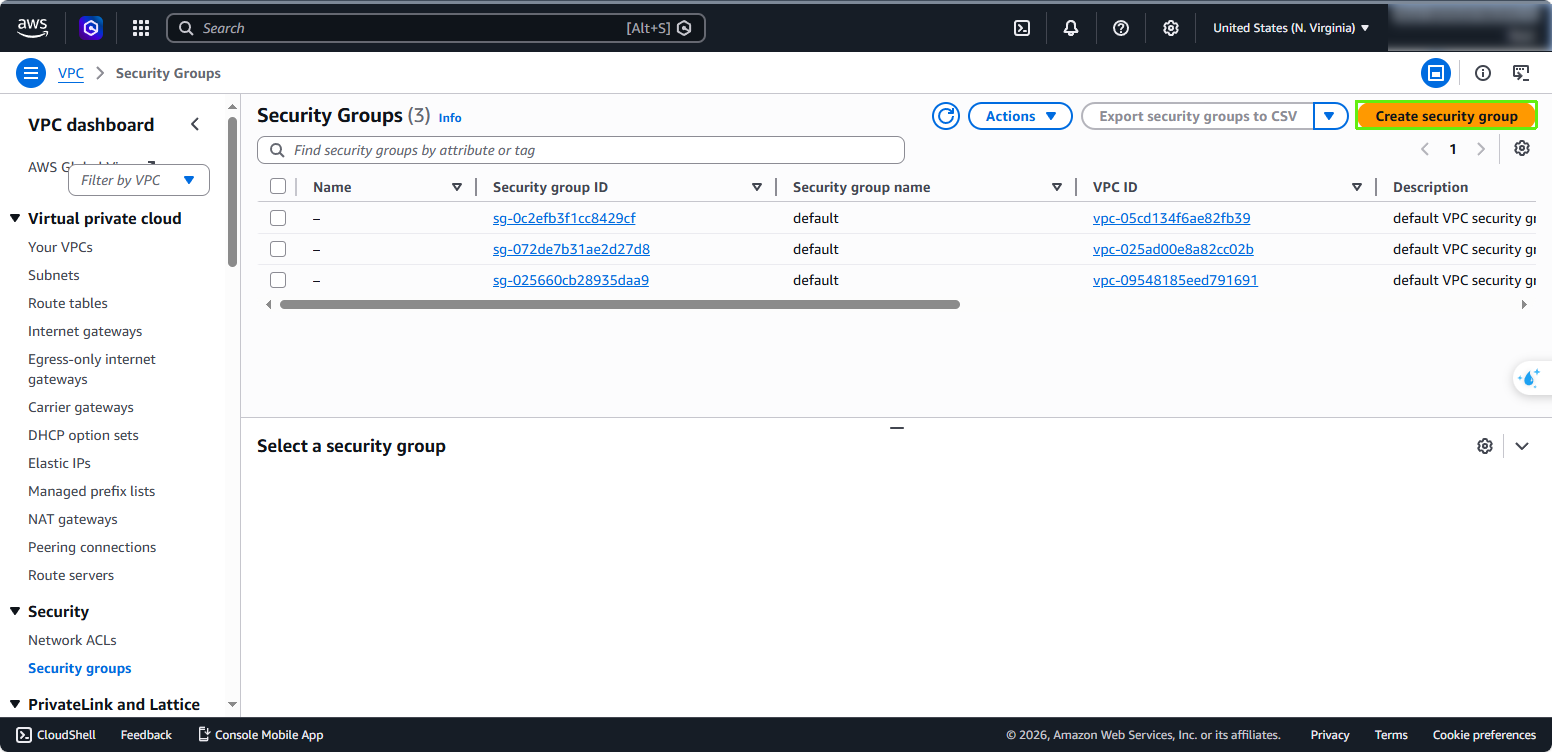
- Trong giao diện quản lý EC2, tại menu lựa chọn bên trái:
- Chọn Security Groups
- Nhấp vào Create security group
 2. Cấu hình Security Group:
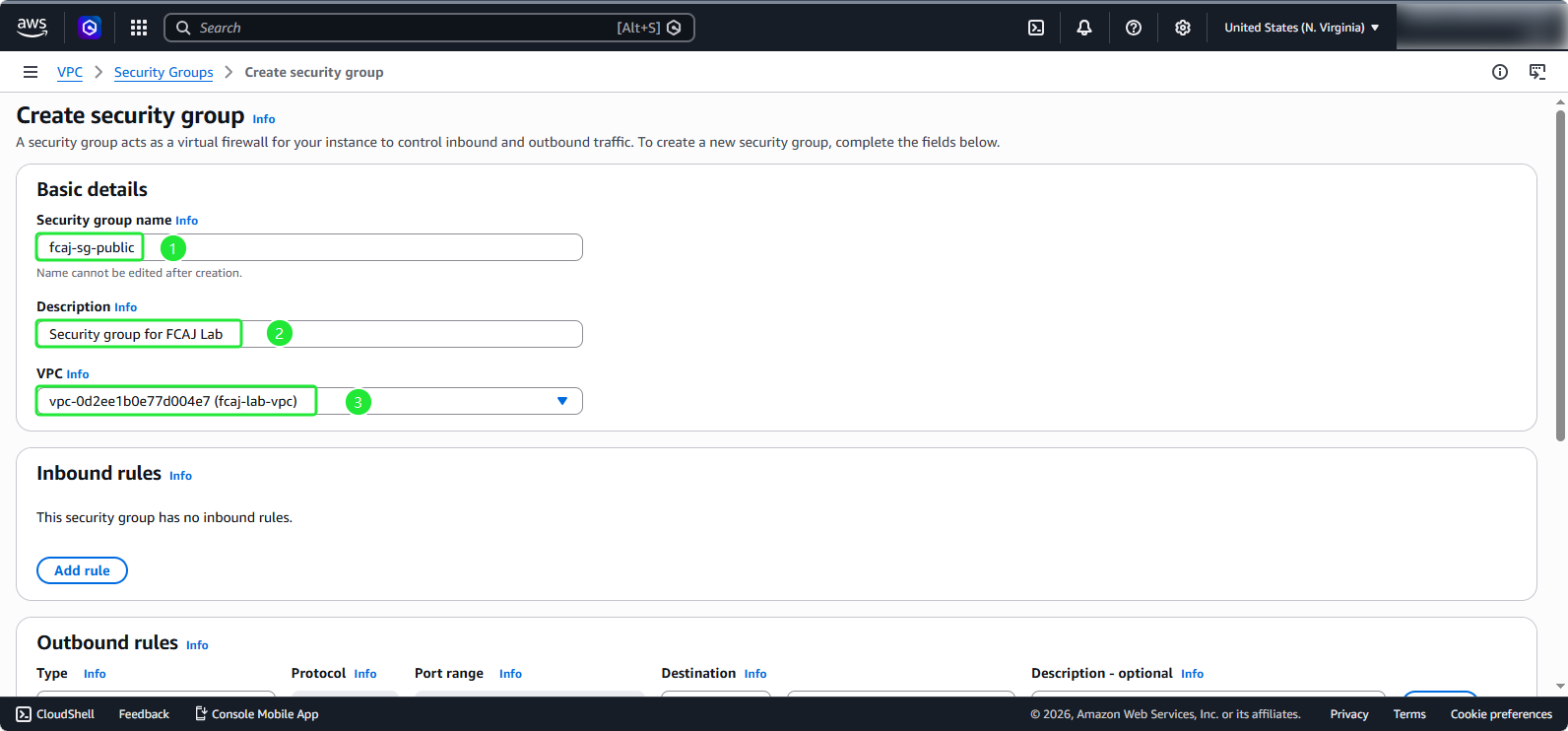
- Trong phần Basic details:
- Security group name:
fcaj-sg-public - Description:
Security group for FCAJ Lab - VPC: fcaj-lab-vpc
- Security group name:
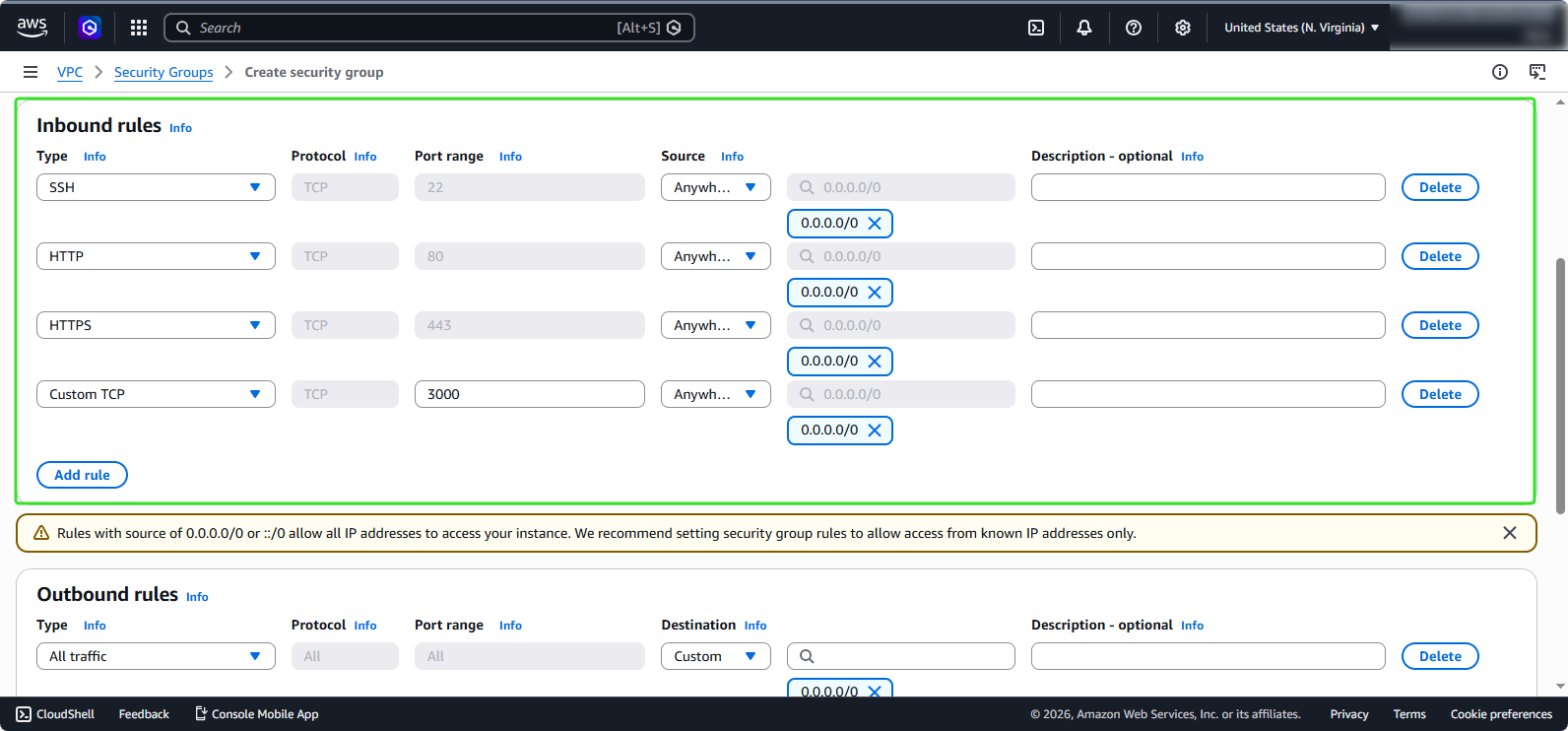
- Trong phần Inbound rules, thêm các quy tắc (rules) sau:
- Type: SSH, Source: Anywhere-IPv4
- Type: HTTP, Source: Anywhere-IPv4
- Type: HTTPS, Source: Anywhere-IPv4
- Type: Custom TCP, Port range: 3000, Source: Anywhere-IPv4
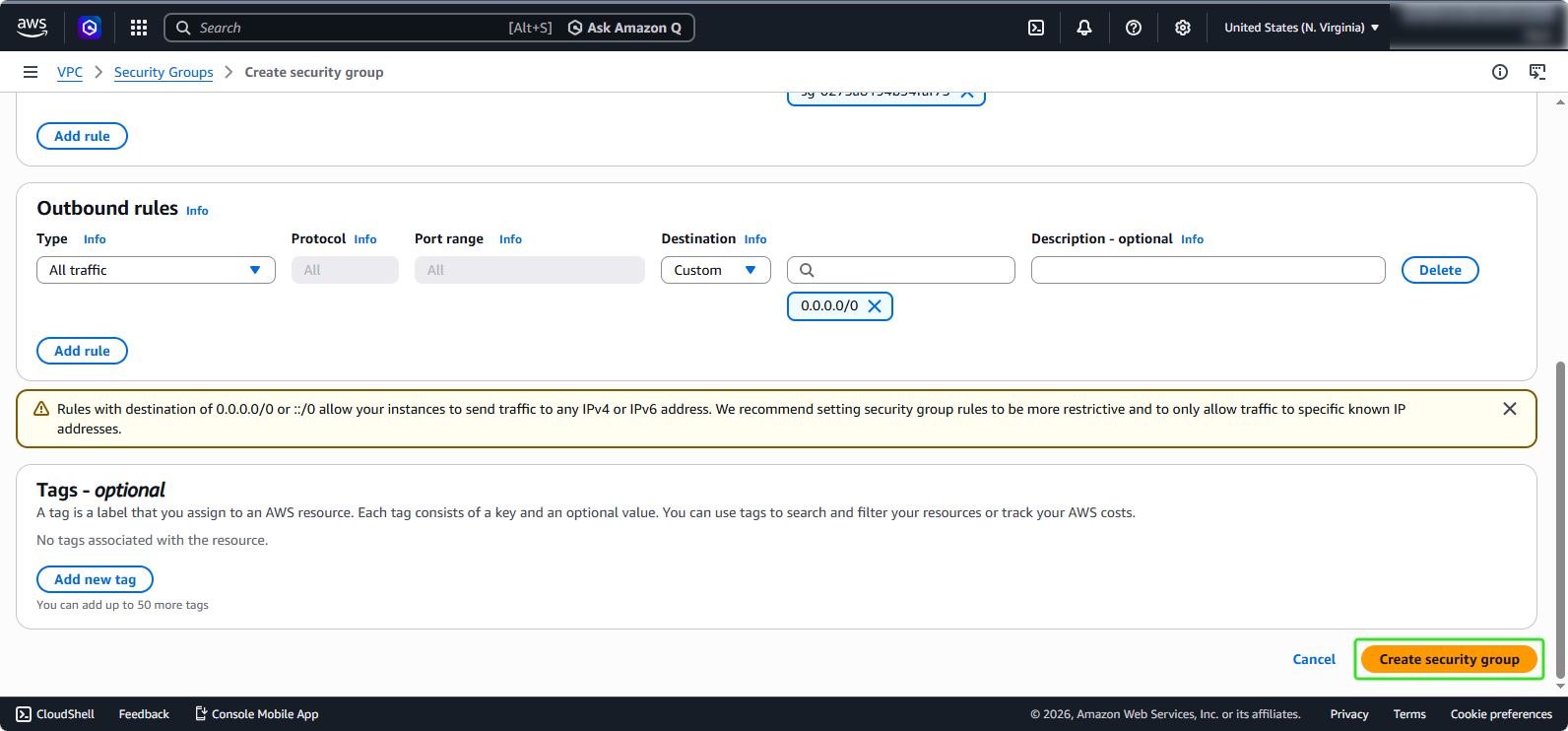
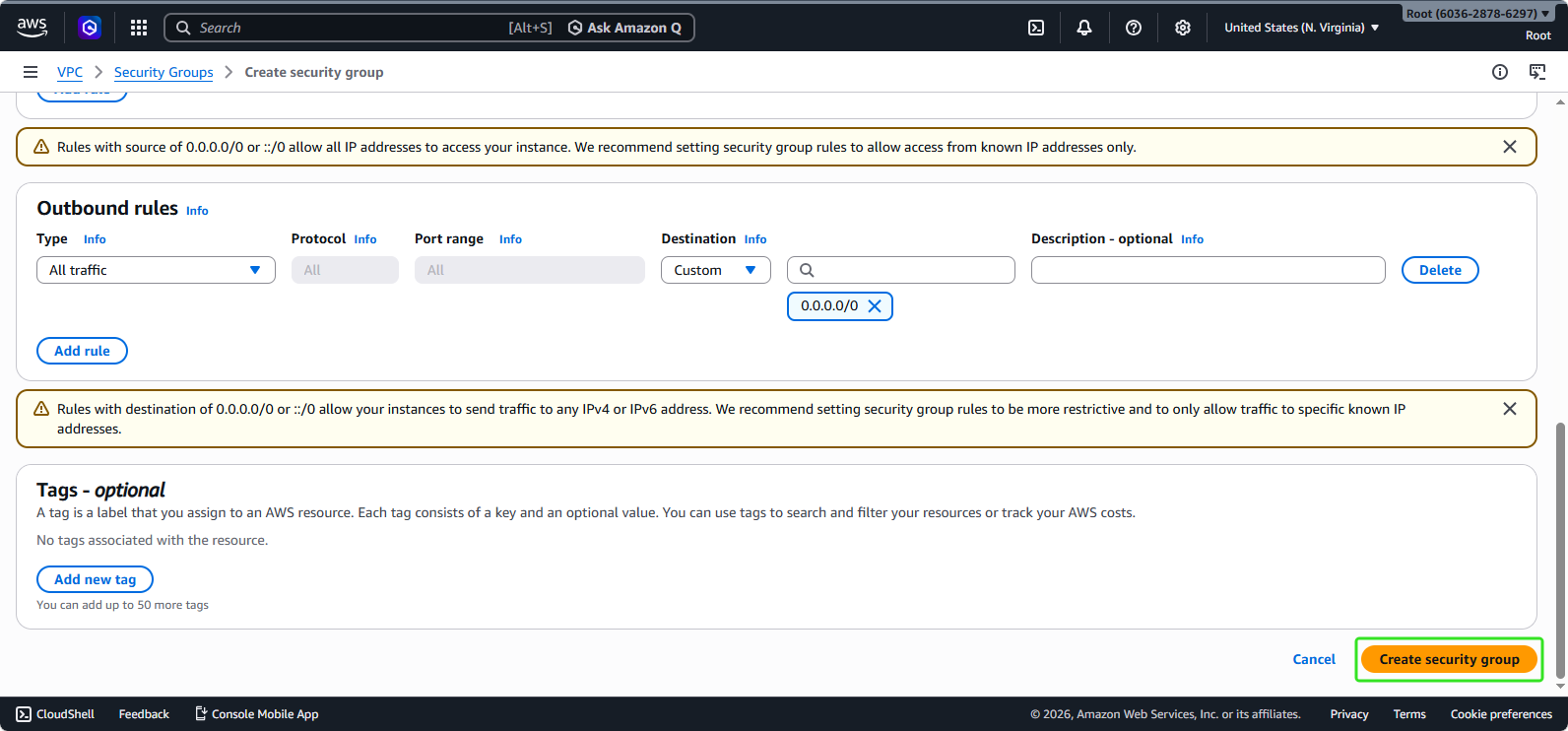
- Đối với Outbound rules, chúng ta sẽ để mặc định. Nhấp vào Create security group.
Cấu hình Security Group cho Database Instance
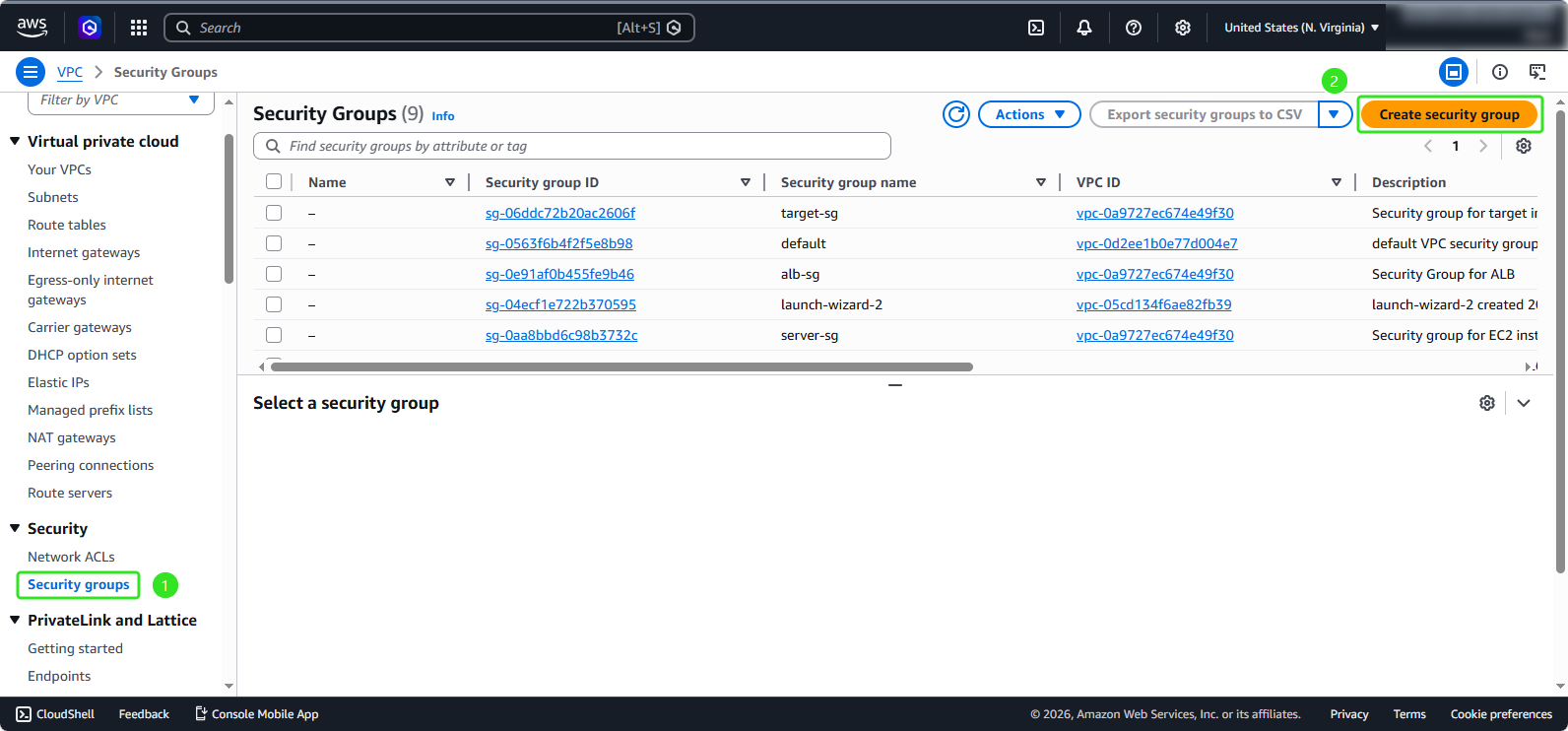
- Tương tự như các bước tạo security group cho EC2:
- Chọn Security Groups
- Nhấp vào Create security group
- Cấu hình Security Group:
- Trong phần Basic details:
- Security group name:
rds-sg - Description:
Security group for RDS database instance - VPC: fcaj-lab-vpc
- Security group name:
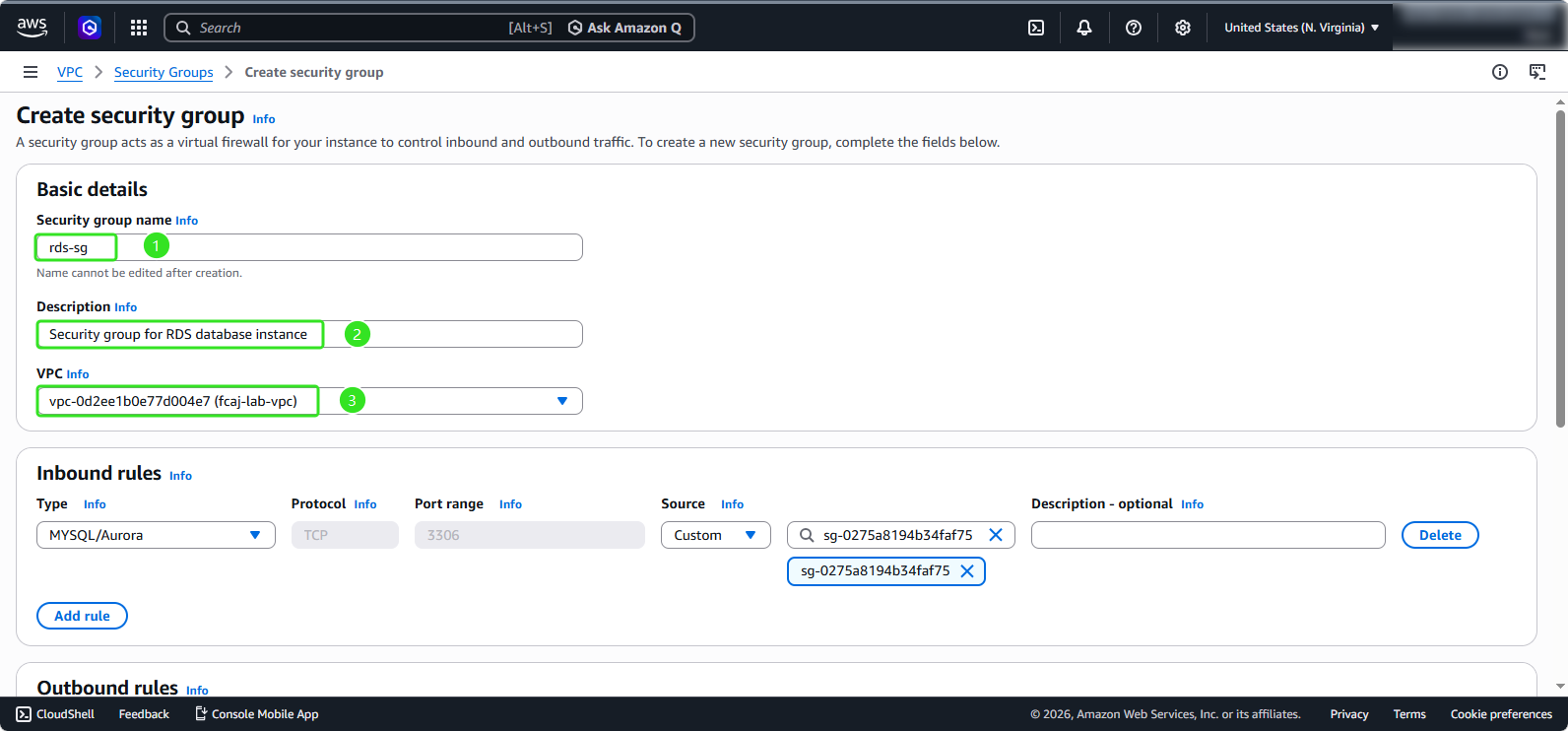
- Trong phần Inbound rules:
- Chọn Type: MYSQL/Aurora
- Source: Chọn fcaj-sg-public
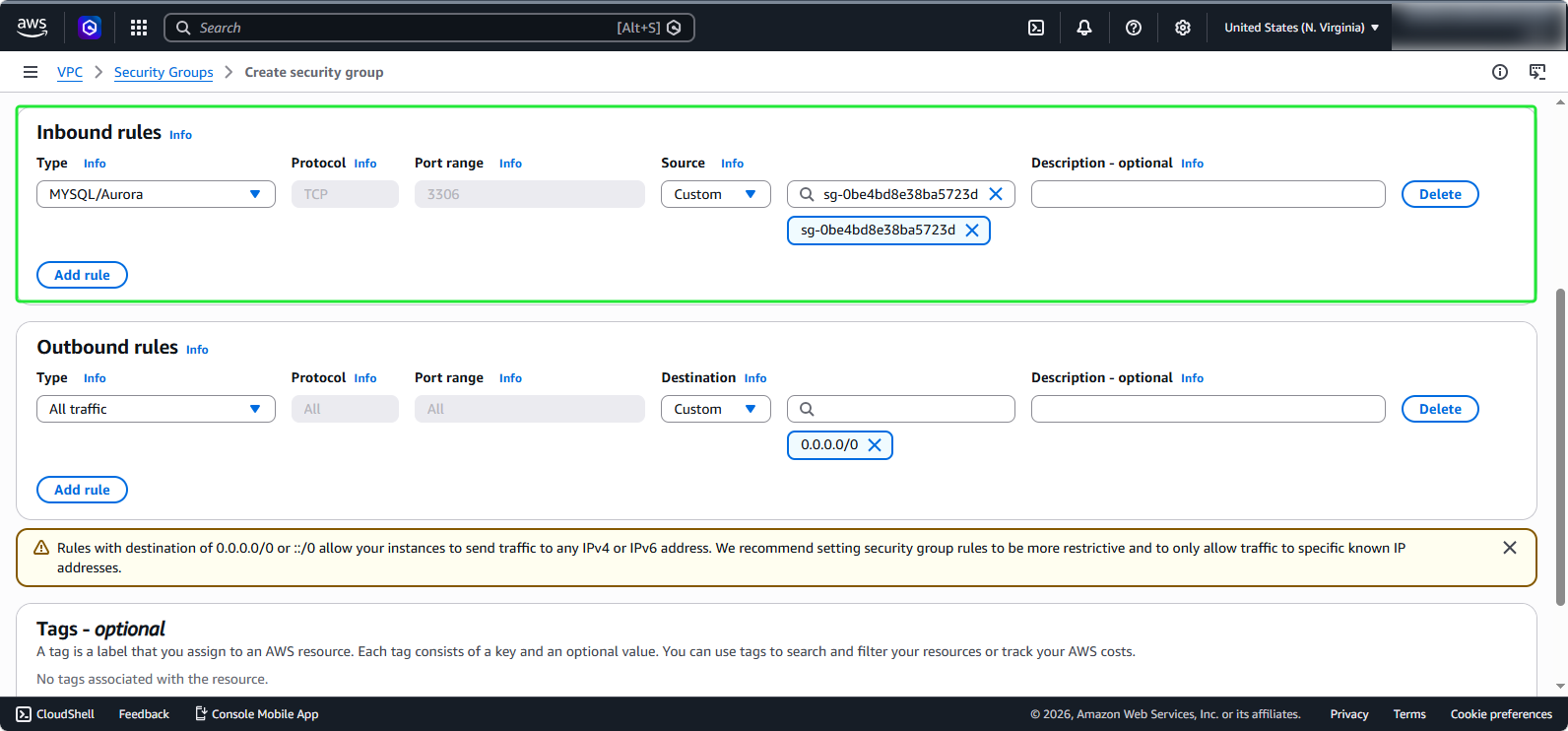
- Đối với Outbound rules, chúng ta cũng sẽ để mặc định. Nhấp vào Create security group.